This article was co-authored by wikiHow Staff. Our trained team of editors and researchers validate articles for accuracy and comprehensiveness. wikiHow's Content Management Team carefully monitors the work from our editorial staff to ensure that each article is backed by trusted research and meets our high quality standards.
This article has been viewed 10,531 times.
Learn more...
This wikiHow teaches you how to make a group member an admin in a WhatsApp group chat, using an iPhone or iPad. You have to be an admin in a group to make somebody else a group admin as well.
Steps
-
1Open WhatsApp Messenger on your iPhone or iPad. The WhatsApp icon looks like a green speech balloon with a white telephone in it.
-
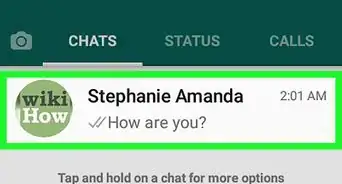
2Tap the Chats tab. This button looks like two speech balloons next to the Settings icon in the lower-right corner of your screen.
- If WhatsApp opens up to a previous chat conversation, tap the back button in the upper-left corner to go back to Chats.
Advertisement -
3Tap on a group chat. Find the group chat you want to edit and tap on it to open it in full screen.
-
4Tap on the group name. The group name will be at the top of your screen next to the group photo. Tapping on it will open the Group Info page for this group.
-
5Scroll down to the "PARTICIPANTS" section. Here you will see a list of all admins and members in this group chat conversation.
- You will see a red "group admin" indicator next to all admins.
- There is no restriction on the number of admins a group chat can have. All participants can be made admins in a group.
-
6Tap on a group member from the list. This will bring up a pop-up menu of options to edit or interact with this user.
-
7Select Make Group Admin. This option will be at the bottom of the pop-up menu above the Remove user option. It will instantly make this user a group admin in this chat.
- You have to be an admin in a group to make another user an admin as well. If you're not already a group admin, you will not see this option on the menu.
Advertisement


Warnings
- You cannot unmake it once you make somebody a group admin. If you want to strip a group participant of their admin privileges, you will have to remove them from the group, and then add them back again as a participant.Thanks!


About This Article

1. Open WhatsApp.
2. Tap Chats.
3. Tap on a group chat.
4. Tap on the group name.
5. Scroll down to PARTICIPANTS.
6. Tap on a group member.
7. Select Make Group Admin.