Explore this Article
X
wikiHow is a “wiki,” similar to Wikipedia, which means that many of our articles are co-written by multiple authors. To create this article, volunteer authors worked to edit and improve it over time.
This article has been viewed 170,577 times.
Learn more...
Can't change the colour, width or shading of your table gridlines on Microsoft Word 2003 ? This will definitely help.
Steps
-
1Right-Click anywhere on your table.
-
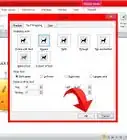
2Select "Borders and Shading" from the dropdown/context menu.Advertisement
-
3Click on the "Borders" tab. On the left hand side, under "setting", there are a no. of options including Box, All, Grid and Custom.
-
4Choose "Grid" setting.
-
5Choose your style, colour and width.
-
6Click "OK".Advertisement
You Might Also Like

How to
Format Label Text and Add Graphics in Microsoft Word

How to
Create a Simple Table in Microsoft Word

How to
Remove a Blank Page in Word

How to
Create an Index in Word

How to
Check a Word Count in Microsoft Word

How to
Convert a JPEG Image Into an Editable Word Document

How to
Corrupt a Word File

How to
Insert a Check Box in Word

How to
Insert a Hyperlink in Microsoft Word

How to
Redline a Document in Microsoft Word

How to
Remove the 'Read Only' Status on MS Word Documents

How to
Add Backgrounds in Word

How to
Insert a Line in Word

How to
Print Avery Labels in Microsoft Word on PC or Mac
Advertisement

About This Article
wikiHow is a “wiki,” similar to Wikipedia, which means that many of our articles are co-written by multiple authors. To create this article, volunteer authors worked to edit and improve it over time. This article has been viewed 170,577 times.
How helpful is this?
Co-authors: 8
Updated: July 4, 2019
Views: 170,577
Categories: Microsoft Word
Advertisement