X
wikiHow is a “wiki,” similar to Wikipedia, which means that many of our articles are co-written by multiple authors. To create this article, volunteer authors worked to edit and improve it over time.
This article has been viewed 111,233 times.
Learn more...
Netflix gives users the option to downgrade their account to a cheaper plan or cancel it entirely. If you cancel, you will be able to watch instant streaming until the new billing cycle starts. Find out how to choose these options by learning how to cancel a Netflix account online.
Steps
Part 1
Part 1 of 4:Netflix Login
Part 1


Part 2
Part 2 of 4:Netflix Account
Part 2


Part 3
Part 3 of 4:Netflix Cancellation Options
Part 3
-
1Decide whether you would prefer to limit your plan or cancel it entirely.
-
2Choose to change your DVD plan to a cheaper option. Click on the "Change Plan" link to downgrade the number of discs or types of discs you get each month.
-
3Cancel the DVD plan by going to the account page and clicking "Cancel DVD Plan." Confirm you want to cancel Netflix DVDs.
-
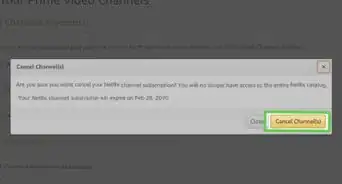
4Return to the account page. Click "Change Plan" to downgrade your streaming or "Cancel Streaming Plan" to cancel your Netflix account entirely.


Part 4
Part 4 of 4:Netflix Follow Up
Part 4
-
1Send your remaining DVDs back to Netflix by the date indicated on the cancellation page. They usually give you 7 days to return movies after cancellation. You will be charged an additional fee for the DVD if it does not arrive in time.
-
2Look for a cancellation email in the email inbox associated with your Netflix account. Keep in mind that you will not get a refund if there are additional days left in the billing cycle.
-
3Login on Netflix.com within 1 year of closing your account to restart Netflix streaming and DVDs. You can sign in with your email and password. Netflix saves your Instant Queue and DVD Queue information for 1 year.


Community Q&A
-
QuestionHow do I cancel my Netflix account?
 Community AnswerYou can log into your Netflix account and click the “My Account” tab. Then you can click the “Cancel Membership” tab under “membership & billing” to cancel your membership.
 -
QuestionDoes canceling Netflix affect my Amazon account?
 Community AnswerNo, it will not affect anything.
 -
QuestionWhen does my billing cycle end?Community AnswerBilling works on a monthly cycle with Netflix. If you have questions about your particular bill, you can contact Netflix support.
-
QuestionHow do I close my Netflix account if I don't know my password? I never had an account, it was provided through my cable company, and my card keeps getting charged.
 Community AnswerTry going to the Netflix website and choosing the option to reset your password, using your email address for the username. If that doesn't work (if they tell you there's no account linked to that email address), call your cable company and ask them for help. You can also call your bank about the charge, you may be able to dispute it and get your money back.
 -
QuestionCan I watch Netflix overseas?
 TorpiTop AnswererYes, you can use your regular Netflix account overseas, as long as Netflix is available in that country. At the time this is being written, you will not be subject to penalities for this (unlike Spotify or the Google Play store, for example). However, you will only have access to that country's catalogue, not your home country's one.