X
wikiHow is a “wiki,” similar to Wikipedia, which means that many of our articles are co-written by multiple authors. To create this article, 10 people, some anonymous, worked to edit and improve it over time.
The wikiHow Tech Team also followed the article's instructions and verified that they work.
This article has been viewed 127,817 times.
Learn more...
Stuck with concepts of "Function" in VB ? If Yes, read this guide to learn the so called constructs of "Function" in the paradigm of VB.
Steps
-
1What is Function ?
- Use a Function procedure when you need to return a value to the calling code.
- A function itself has a type, and the function will return a value to the calling subroutine based on the code that it contains.
-
2How to declare Function ?
- You can define a Function procedure only at module level. This means the declaration context for a function must be a class, structure, module, or interface, and cannot be a source file, namespace, procedure, or block.
- A function is declared the exact same way as a subroutine, except using the "Function" keyword instead of "Sub".
- Function procedures default to public access. You can adjust their access levels with the access modifiers.
-
3How to call Function ?
- You call a Function procedure by using the procedure name, followed by the argument list in parentheses, in an expression.
- You can omit the parentheses only if you are not supplying any arguments. However, your code is more readable if you always include the parentheses.
- A function can also be called using the Call statement, in which case the return value is ignored.
- To return a value, assign a value of the proper type to the function's name, as if it were a variable.


Community Q&A
-
QuestionHow do I run a function in VB.net?
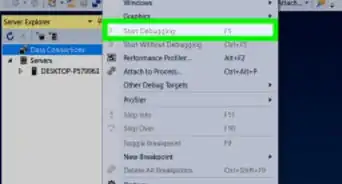
 SnodCommunity AnswerClick Compile then Run using the menu. There may also be keyboard shortcut hotkeys.
Syntax
Declaration
[ <attributelist> ] [ accessmodifier ] [ proceduremodifiers ] [ Shared ]
Function name [ (Of typeparamlist) ] [ (parameterlist) ] [ As returntype ]
    [ statements ]
    [ Exit Function ]
    [ statements ]
End Function
Calling
'Without Call
Function_Name()

'With Call
Call Function_Name()
Example
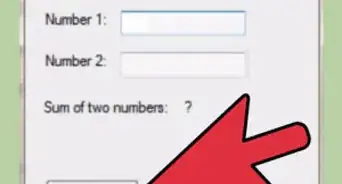
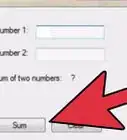
An example of function that adds two numbers is shown below
Private Function Add(ByVal x As Integer, ByVal y As Integer) As Integer
    Dim Res as integer
    Res = x + y
    Add = Res
End Function

Private Sub Form_Load()
    Dim a As Integer
    Dim b As Integer
    Dim c As Integer
    a = 32
    b = 64
    c = Add(a, b)
    MsgBox ("Sum is : " & c)
End Sub