X
This article was written by Travis Boylls. Travis Boylls is a Technology Writer and Editor for wikiHow. Travis has experience writing technology-related articles, providing software customer service, and in graphic design. He specializes in Windows, macOS, Android, iOS, and Linux platforms. He studied graphic design at Pikes Peak Community College.
This article has been viewed 1,518 times.
This wikiHow teaches you how to calculate a tip using Siri on an iPhone and iPad. Siri is the intelligent personal assistant that can answer questions and provide you with relevant information. Siri is also available on Mac computers running macOS Sierra or greater.
Steps
-
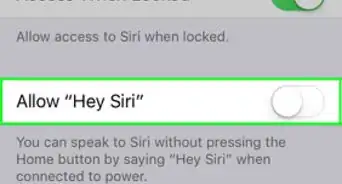
1Launch Siri. Press and hold the home button or you can say "Hey Siri" if you have the Hey Siri feature turned on. A black screen will appear with a multi-colored sound wave at the bottom that will move as you speak.
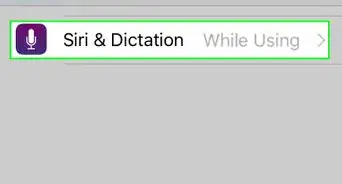
- If Siri doesn't respond, make sure you have Siri turned on in your iPhone's Settings.
-
2Ask Siri, "What's the tip on __ dollars and __ cents?" Insert the amount of your bill in dollars and cents. For example, if your bill was $33.75 you would ask "How much is the tip for thirty-three dollars and seventy-five cents?" Siri will respond with a 15% tip, an 18% tip, and a 20% tip.
- Make sure you specify "dollars" and "cents," otherwise Siri might think you mean $3375.00 when you only meant $33.75.
-
3Ask for the tip with a specific percentage. If you want to pay a different tip than the standard option Siri provides. you can add that to your question as well. For example, ask Siri "How much is a twenty-five percent tip for thirty-three dollars and seventy-five cents?" Siri will respond with the exact tip amount.














About This Article

Travis Boylls
Tech Specialist
This article was written by Travis Boylls. Travis Boylls is a Technology Writer and Editor for wikiHow. Travis has experience writing technology-related articles, providing software customer service, and in graphic design. He specializes in Windows, macOS, Android, iOS, and Linux platforms. He studied graphic design at Pikes Peak Community College. This article has been viewed 1,518 times.
How helpful is this?
Co-authors: 5
Updated: May 25, 2021
Views: 1,518
Categories: Siri