X
This article was written by Nicole Levine, MFA. Nicole Levine is a Technology Writer and Editor for wikiHow. She has more than 20 years of experience creating technical documentation and leading support teams at major web hosting and software companies. Nicole also holds an MFA in Creative Writing from Portland State University and teaches composition, fiction-writing, and zine-making at various institutions.
This article has been viewed 1,211 times.
This wikiHow teaches you how to use Facebook’s advertising tools to promote an event you’re hosting.
Steps
-
1Go to https://www.facebook.com in any web browser on your computer. If you’re not already signed into your account, sign in now.
-
2Click Events. It’s in the left column under the ″Explorer″ header.Advertisement
-
3Click Boost Event below the event you want to promote.
- If you haven’t yet created an event, do so now.
-
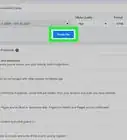
4Adjust the Boost settings. You can upload an image, change the audience, and set a budget and duration.
-
5Click Boost when you’re satisfied. A payment method screen will appear.
-
6Enter your payment details. If you haven’t saved a default payment method in Facebook, you’ll have to enter some payment details now. Enter your credit card or debit card info as indicated, or select PayPal to sign in with PayPal.
- If you have a Facebook ad coupon, you can select that option.
-
7Click Continue. Facebook will then review the advertisement and approve it if it meets their guidelines. Once approved, the ad will run for the duration you selected.Advertisement



About This Article

Nicole Levine, MFA
Tech Specialist
This article was written by Nicole Levine, MFA. Nicole Levine is a Technology Writer and Editor for wikiHow. She has more than 20 years of experience creating technical documentation and leading support teams at major web hosting and software companies. Nicole also holds an MFA in Creative Writing from Portland State University and teaches composition, fiction-writing, and zine-making at various institutions. This article has been viewed 1,211 times.
How helpful is this?
Co-authors: 2
Updated: October 25, 2021
Views: 1,211
Categories: Facebook
Article SummaryX
1. Sign into Facebook.com.
2. Click Events.
3. Click Boost Event.
4. Set your preferences.
5. Click Boost.
6. Enter your payment details.
7. Click Continue.
Did this summary help you?
Advertisement