X
wikiHow is a “wiki,” similar to Wikipedia, which means that many of our articles are co-written by multiple authors. To create this article, volunteer authors worked to edit and improve it over time.
This article has been viewed 114,535 times.
Learn more...
Mobile phone users may try to keep their phone number private. If you find yourself receiving calls from telephone solicitors or unwanted people on your AT&T phone, you can sign up for a service to block them and/or join the "Do Not Call" registry. Find out how to block a number on AT&T.
Steps
Part 1
Part 1 of 4:Research the Number
Part 1
-
1Write down the number that you would like to block. Make sure you have all 10 digits available before you arrange to block it.
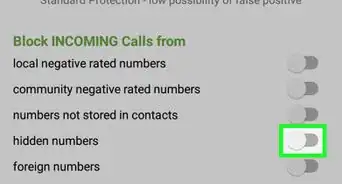
- AT&T does not have the capability to block anonymous numbers from your phone. If the number you dislike is from "Private Number" or "Anonymous" you should ask the person or telemarketer to remove you from their phone or list and never call you in the future.
- It is a good idea to enroll your number in the US "Do Not Call" registry no matter what wireless service you use. It will be the cheapest option to block numbers, if you are receiving unwanted calls from solicitors.
Advertisement

Part 2
Part 2 of 4:If you have an iPhone with iOS7
Part 2
-
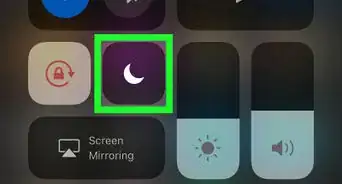
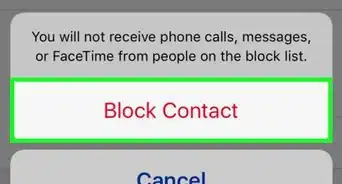
1If you have an iPhone, with iOS7 or newer, you can block the number from the iPhone.
-
2For older iPhones and other phones, proceed to the following paragraphs.Advertisement


Part 3
Part 3 of 4:Join the Do Not Call Registry
Part 3
-
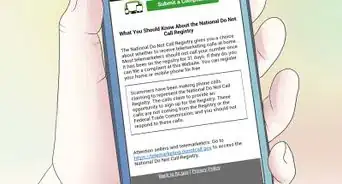
1Call the US Do Not Call registry service using the number that you would like to block from telemarketers. The number is (888) 382-1222.
-
2Follow the prompts to register for the service. The registry will pick up your cellular phone number automatically, but you may be asked to answer some questions regarding your number.
-
3Wait 31 days for the number to be added to the registry.
-
4Ask telemarketers to remove your name and number from their list immediately. This may take care of the problem.
-
5Ask them their business name and number, if you still receive calls. They are now in violation of the Do Not Call Act.
-
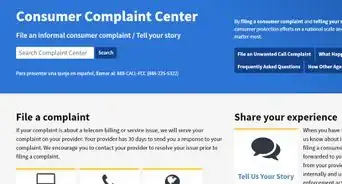
6Register a complaint with the Do Not Call service at donotcall.gov/complaint/complaintcheck.aspx. Telemarketers in violation of the Act can be fined.Advertisement


Part 4
Part 4 of 4:Purchase AT&T Smart Limits
Part 4
-
1Go to http://www.att.net/smartcontrols-SmartLimitsForWireless. You can also search for "Smart Limits for Wireless" in the search bar at att.com.
-
2Click the "Order Now" button on the right side of the page. It is free for 90 days, then it is $4.99 per month per mobile phone on the account.
-
3Login to your AT&T Wireless Account when prompted. You will need to have the right login and the rights to make changes on the account to order Smart Limits.
- You can also go to an AT&T Wireless store with a copy of your latest bill or call the AT&T customer service number with your account number.
-
4Find the mobile phone that needs numbers to be blocked.
-
5Click on the "Wireless" tab, if you are not prompted to the screen to order Smart Limits on your phone.
-
6Select the phone that you want Smart Limits to be added to. Specify any more information as prompted until the transaction is complete.
-
7Manage Smart Limits under your Wireless account. Type in up to 30 numbers to block from calling or texting your phone.
- You can also use other features with Smart Limits, such as controlling Internet browsing time, the number of texts the phone can use and limiting purchases from the account.
Advertisement


Community Q&A
-
QuestionCan the caller see that I am blocking calls and texts?
 Community AnswerNo, they cannot.
 -
QuestionWhat message does the caller receive if I block the number?
 Community AnswerNothing. The caller won't receive any kind of notification that you have blocked the number.
Things You'll Need
- Unwanted number
- Do Not Call number registration
- AT&T account number
- AT&T online login
- AT&T Smart Limits


About This Article
Advertisement