X
wikiHow is a “wiki,” similar to Wikipedia, which means that many of our articles are co-written by multiple authors. To create this article, volunteer authors worked to edit and improve it over time.
The wikiHow Tech Team also followed the article's instructions and verified that they work.
This article has been viewed 26,878 times.
Learn more...
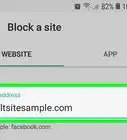
Do you want to block some annoying or spam websites from the Google search results? Google's Personal Blocklist extension can help you.
Steps
Part 1
Part 1 of 2:Installing the Extension
Part 1
-
1Go to Chrome Web Store. Open chrome.google.com/webstore in your web browser.
-
2Search for “uBlacklist” extension. You can see the search box at the top-right corner of the page.Advertisement
-
3Install the extension. Click on the ADD TO CHROME button and confirm your action.
-
4Done. You can see the extension's icon on the top bar of your browser. Now you're ready to use it.Advertisement


Part 2
Part 2 of 2:Blocking a Website
Part 2
-
1Go to the website, which you want to block from Google search results. Type the website address in the address bar and hit the Enter button on the keyboard.
- For example, if you want to block Twitter, type https://www/twitter.com in the address bar.
-
2Open the extension. Just click on the extension's icon (grey) at the top bar of your browser.
-
3Block the website. Click on the OK button from the context menu. Done!
-
4Alternatively, go to the Google search and search for a website. Click on Block this site, which you can see near the website address. Finished!Advertisement












About This Article
Advertisement