X
wikiHow is a “wiki,” similar to Wikipedia, which means that many of our articles are co-written by multiple authors. To create this article, volunteer authors worked to edit and improve it over time.
The wikiHow Tech Team also followed the article's instructions and verified that they work.
This article has been viewed 226,442 times.
Learn more...
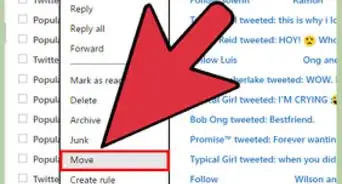
Here is how to add an email address to your Hotmail account to ensure that it is always approved and not sent to the spam folder.
Steps


Community Q&A
-
QuestionHow do I access and use Safe Sender for Hotmail.co.uk?
 Community AnswerClick Home, then Junk, then Junk Email Options, then Safe Senders and add addresses there. This is for Outlook 2016.
 -
QuestionWhere can I find this in my Outlook settings?Community AnswerGo to your page and click your profile. Click Settings, then Mail Settings.
Things You'll Need
- Hotmail account
- Email addresses you don't want to go to spam