X
wikiHow is a “wiki,” similar to Wikipedia, which means that many of our articles are co-written by multiple authors. To create this article, volunteer authors worked to edit and improve it over time.
This article has been viewed 103,484 times.
Learn more...
There are many ways to handle issues or perform settings on the computer. Bluetooth is one thing that can simplify matters. If you have a Bluetooth device you want to pair with your computer, try activating the Bluetooth settings in Windows 8.
Steps
Method 1
Method 1 of 2:Using the Wireless PC settings Approach
Method 1


Method 2
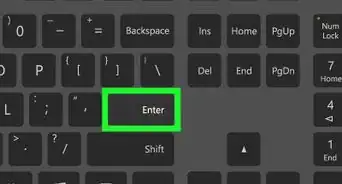
Method 2 of 2:Using Keyboard Shortcuts
Method 2


Community Q&A
-
QuestionMy bluetooth has been deactivated. Nothing I try reactivates it. WHat can I do?
 Community AnswerYou may want to restart you devices, so it can refresh. If that does not work, go to settings, go to bluetooth, press the switch to turn it on and off and keep pressing it.
 -
QuestionShould I have an internet connection for this to work?
 Community AnswerNot to connect to the device. Bluetooth does not need any internet connection, as it is a separate type of signal.
Warnings
- Note that there is a slight difference between Windows 8.0 and 8.1 settings.Thanks!