Explore this Article
methods
Other Sections
X
wikiHow is a “wiki,” similar to Wikipedia, which means that many of our articles are co-written by multiple authors. To create this article, 10 people, some anonymous, worked to edit and improve it over time.
This article has been viewed 57,889 times.
Learn more...
If your computer won't let you access all programs through the start menu, here's how to access them otherwise.
Steps
Method 1
Method 1 of 2:Windows Vista
Method 1
-
1Open the start menu.
-
2Click Computer.
-
3Double-click on the Local Disc (C:) icon (May be named slightly different on some computers).
-
4Click an empty space on the address bar (Bar at top of screen that says Computer > Local Disc (C:)).
-
5Type C:\ProgramData and press enter/return.
-
6Open the Microsoft folder.
-
7Open the Windows folder.
-
8Open the Start Menu folder.
-
9Open the Programs folder.


Method 2
Method 2 of 2:Windows XP
Method 2
-
1Open My Computer, on your desktop.
-
2Double-click on the Local Disc (C:) icon (May be named slightly different on some computers).
-
3Open the Documents and Settings folder).
-
4Open the user folder that you want to access programs from.
-
5Open the Start Menu folder.
-
6Open the Programs folder.


Community Q&A
-
QuestionI can't open Windows. I can get online, but when I click on "open," it just makes a tone and does nothing. What can I do?
 SunbakedcowCommunity AnswerShut down the tower or unplug your computer.
You Might Also Like
How to
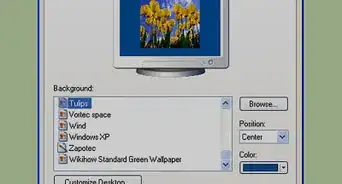
Change Your Desktop Background in Windows
 The Easiest Way to Take a Screenshot in Windows | wikiHow
How to
Install FFmpeg on Windows
How to
Enter BIOS
How to
Install Windows from Ubuntu
How to
Zoom Out on a PC

How to
Check Your Windows Product Key
How to
Check if a Hard Drive Is SSD or HDD on Windows
How to
Check Your Windows Version
How to
Manually Reset Your Wireless Adapter in Windows
How to
Resolve No Sound on Windows Computer
How to
Zoom in on a PC

How to
Hide the Windows Taskbar
How to
Open Terminal in Windows
About This Article
wikiHow is a “wiki,” similar to Wikipedia, which means that many of our articles are co-written by multiple authors. To create this article, 10 people, some anonymous, worked to edit and improve it over time. This article has been viewed 57,889 times.
How helpful is this?
Co-authors: 10
Updated: July 2, 2020
Views: 57,889
Categories: Windows