X
wikiHow is a “wiki,” similar to Wikipedia, which means that many of our articles are co-written by multiple authors. To create this article, volunteer authors worked to edit and improve it over time.
This article has been viewed 53,102 times.
Learn more...
Do you want a new Resource Pack for your Minecraft? Or do you want to access one of your screenshots you have made? But you just don't know how? Then this is the article for you to read.
Steps
Method 1
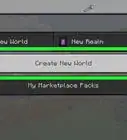
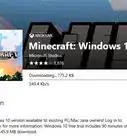
Method 1 of 2:Minecraft
Method 1


Method 2
Method 2 of 2:Windows 8
Method 2
-
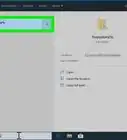
1Press ⊞ Win + R. A new small window in the bottom left corner of your screen will appear. This program is called "Run" and it allows you to start things up on your computer. Keep in mind that you don't have to download it, it will be a default program on your computer.
- Alternatively, you could drag your mouse to the top right corner of the screen and drag down to open up the panel. Then, click "Search" and type in "Run".
-
2Type %appdata% in the box.
-
3Click OK.
-
4Click on ".minecraft".
-
5Choose the folder you wish to access.


Community Q&A
-
QuestionHow do I get a .minecraft file on Xbox One?
 Belle K.Top AnswererYou cannot. If you are trying to install mods or texture packs, you have to go through the Minecraft application or the store.
 -
QuestionHow do I get the .minecraft folder
 Community AnswerIf you are on Windows, hold the Windows key and press R. This should open a little pop-up. Then type: %appdata%. In here, it should open your apps, and you should be able to find your .minecraft folder.
 -
QuestionHow do I get to the .minecraft folder in Minecraft: Pocket Edition?
 GrejCommunity AnswerUnfortunately, there is no .minecraft folder for the Pocket Edition version of Minecraft.
 -
QuestionHow do you get the .minecraft folder on a Mac?
 tyCommunity AnswerOn a Mac, the folder is located under Users/[your user]/Library/Application Support/minecraft. You can navigate there manually, or press shift + cmd + G to get there with a path.
 -
QuestionHow do I access the texture folders?
 Seasalt25Top AnswererYou can find the resource pack folder and the texture assets by following the steps in the article and clicking on the folder titled "resourcepack". There you can place resource packs you want in the game. If you want to see the game's texture assets, you click on the resource pack folder, click on the folder labeled "assets" then on the folder labeled "minecraft". There you can find the json files for them.
 -
QuestionDoes it work for mobile?
 Community AnswerThere is no .minecraft folder on mobile, so no, it does not. This only works on computers.
 -
QuestionFor some reason no folders or anything exsists in my resources. There isn't a .minecraft folder, or anything. What's wrong?Redtback_spiderCommunity AnswerMaybe you made a typo in the name while typing or you're in the wrong folder. Try again and type with great care.
-
QuestionHow do I get to the forge Minecraft folder on the iMac?
 Wikihowman928348Community AnswerTo access your forge folder, click your desktop or open finder and hold down Command+Shift+G at the same time. Then paste ~/library/Application Support/minecraft and hit enter. Then, check the versions folder as well as the mods folder (look for "fml") for the Forge files.