The story of my broken wrist
On March 5, 2011, I broke my right wrist. This unfortunately rendered me unable to do stuff in my workshop for a while. I spent a lot of time reading about other people's similar experiences to get a better sense of what to expect, and so I figure my experience might be of interest to other people in the same situation.In terms of publishing new woodworking articles on this website, I was lucky that at the time I had gotten way ahead of myself in terms of projects built and photographed but not yet written up as weekly articles. So I still had some material to publish before I'd have to admit that I couldn't build anything for the time being. Fortunately, some of my readers, without knowing my predicament, had sent some pictures and descriptions of their projects such as this router pantograph, this belt sander, more belt sanders, and a very well engineered homemade table saw. I also visited a friend and documented his thickness sander. That allowed me to keep adding weekly articles. Many thanks to Lucas Contreras, Neal Weeks, Roger Gallant, Hector Acevedo and Pat Hawley for helping me out.
How I broke my wrist
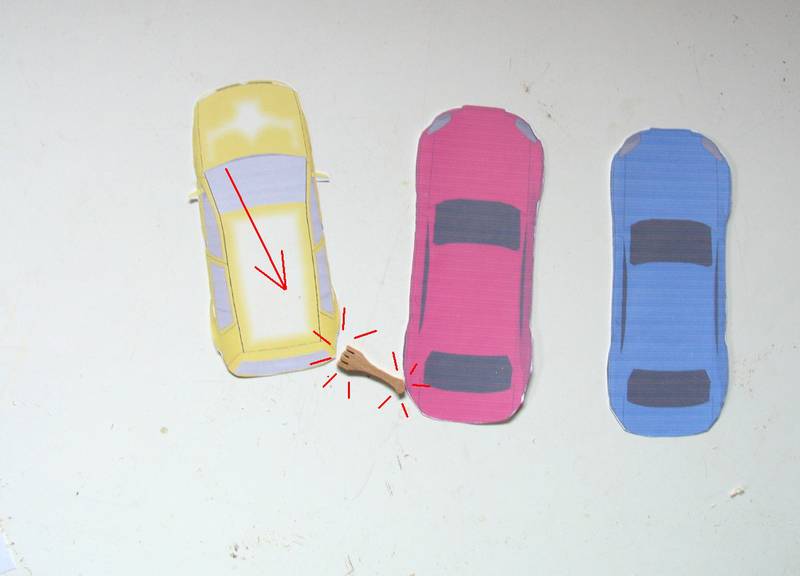
The first question people ask is "How did it happen?". I'm sure many would assume it was in the workshop.But it happened in a very icy parking lot. I was trying to drive my yellow car uphill, but the parking lot was a complete sheet of ice and I didn't have enough traction to make it. As the wheels spun, I noticed my car was veering to the right, toward a parked car. So I was afraid to back up without assessing the situation first. I pulled the parking brake and got out (carefully) to have a look. I was behind the red car when my car started sliding towards me, roughly in the direction of the arrow.
I really didn't want my car to hit the other car, so I figured I should at least try to deflect it as best I could so it would hopefully slide past without hitting. Standing behind the red car and hanging onto it with my left arm (I was standing on ice), I tried to push my car away from it with my right arm. Unfortunately, my elbow ended up hitting the other car, and I felt a very sharp and instant pain. My wrist still looked straight, and I could still feel and flex my fingers. So I figured it wasn't broken, just badly sprained.
My car still ended up hitting the other car and then slid along it. And after that, another car tried to make it up the hill the same way, slid like mine, and bumped into my car. Fortunately, that was a bumper to bumper contact. The tow truck operator had a challenge figuring out how to separate the cars without causing more damage - especially because he didn't really have a place to get a grip either. I stayed around for a bit for the police officer to take an accident report, then drove myself home (though without using my right hand - a little tricky to do with a stick-shift).
 The next day, there was a snowstorm, and I knew I was in no shape to shovel my driveway.
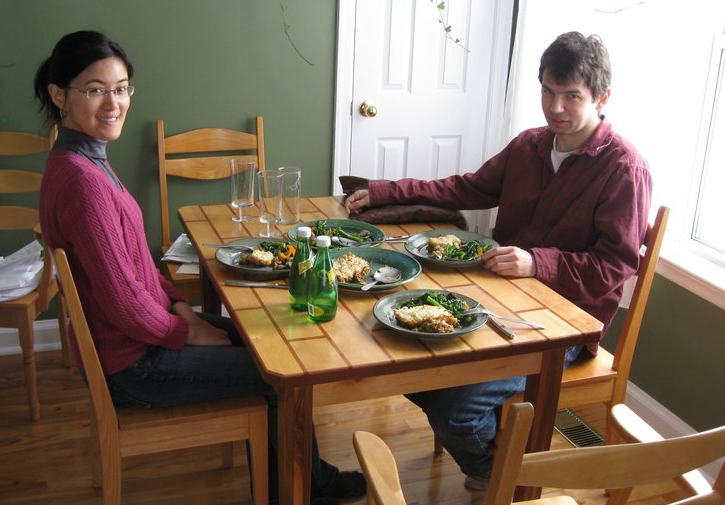
I called my brother Markus, who came over with his girlfriend (the woman in the photo),
brought lunch and shoveled the driveway.
My wrist was still very sore, but resting it on a pillow
relieved most of the pain. I realized there's the possibility that this
was more than just a sprain, so Markus took me to the hospital to get it checked out.
The next day, there was a snowstorm, and I knew I was in no shape to shovel my driveway.
I called my brother Markus, who came over with his girlfriend (the woman in the photo),
brought lunch and shoveled the driveway.
My wrist was still very sore, but resting it on a pillow
relieved most of the pain. I realized there's the possibility that this
was more than just a sprain, so Markus took me to the hospital to get it checked out.
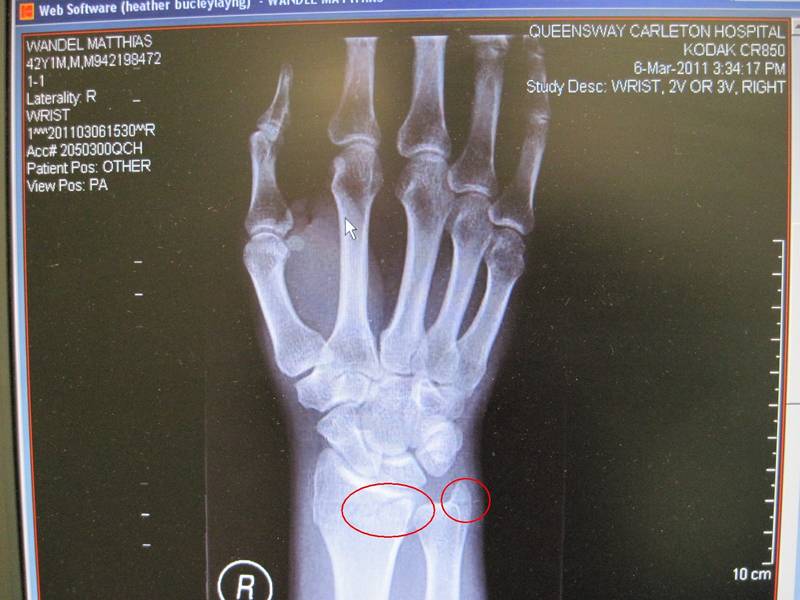 X-rays revealed that I had broken my wrist. It wasn't a displaced sort of fracture,
but I did break the distal radius and the ulna styloid (see circles). It turns out
that this type of fracture is very common, although it usually happens from falling
onto outstretched hands.
It mostly happens to kids and the elderly. Healthy adult's bones don't break
as easily. I guess getting one's arm pinned between two cars is a bit unusual.
X-rays revealed that I had broken my wrist. It wasn't a displaced sort of fracture,
but I did break the distal radius and the ulna styloid (see circles). It turns out
that this type of fracture is very common, although it usually happens from falling
onto outstretched hands.
It mostly happens to kids and the elderly. Healthy adult's bones don't break
as easily. I guess getting one's arm pinned between two cars is a bit unusual.
And so they put my arm in a cast. I wasn't so thrilled about that.
Using a computer with a cast
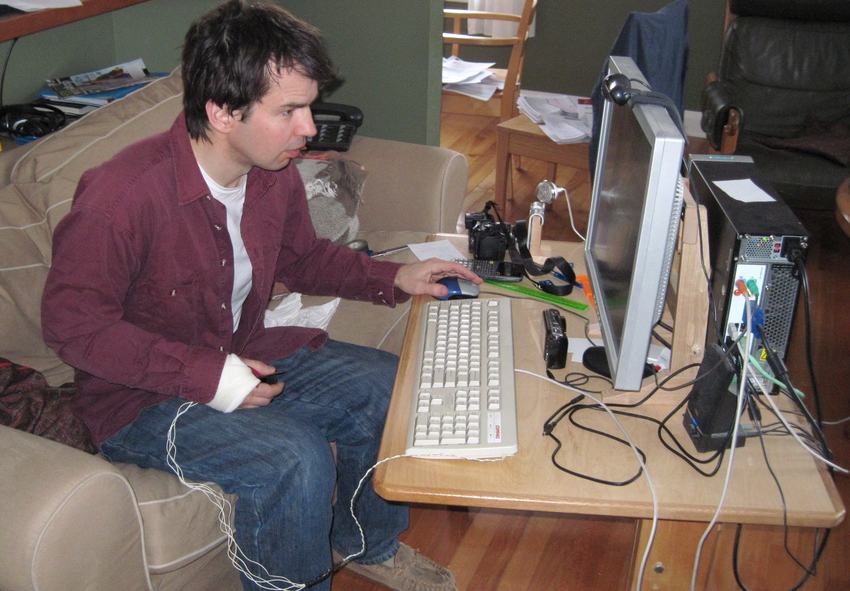
For the first ten days or so, I could hardly use my right hand. But using the mouse with my left hand worked surprisingly well. I had a lot of CAD work left to do to finish up my 3D router pantograph plans, so that was a good thing to work on. But I find that with Google SketchUp, you need to use the shift and alt keys in combination with the mouse a lot. Markus came to the rescue by wiring up external switches for shift and alt on an old keyboard so I could use these with my right hand.Having modified computer keyboards before, I reassured him that this was a relatively straightforward operation, just not one I could do myself at the time.
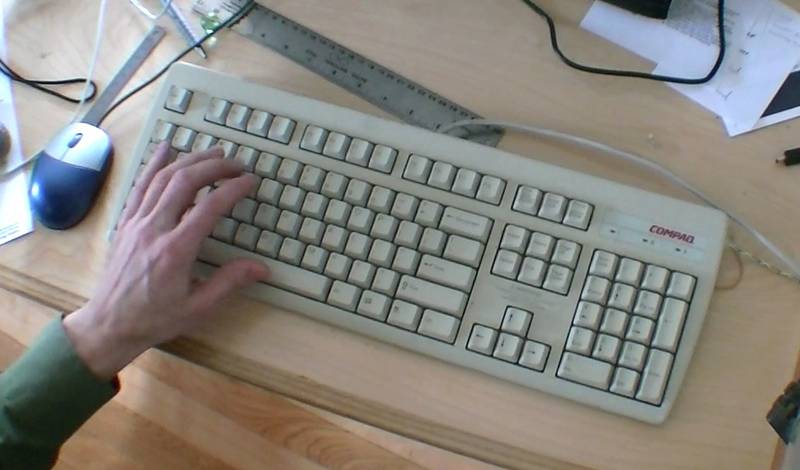 But I also had a lot of writing to do, and typing with only the left hand really sucks.
Part of the problem is that Qwerty keyboard is optimized so that many words alternate
between left and right hand keystrokes. This makes for speedier typing two handed, but
for a lot of back and forth one handed.
But I also had a lot of writing to do, and typing with only the left hand really sucks.
Part of the problem is that Qwerty keyboard is optimized so that many words alternate
between left and right hand keystrokes. This makes for speedier typing two handed, but
for a lot of back and forth one handed.
I played around with Dragon Naturally Speaking for speech recognition. This was quite an improvement over left hand only typing, but it takes a while to get it set up and trained. And even then, it's slow and will often miss-recognize parts of sentences. After every sentence I dictated, I had to pause, wait for it to process, then check it and correct any mistakes. Overall, I'd say two handed hunt and peck style typing is still be better than using voice recognition.
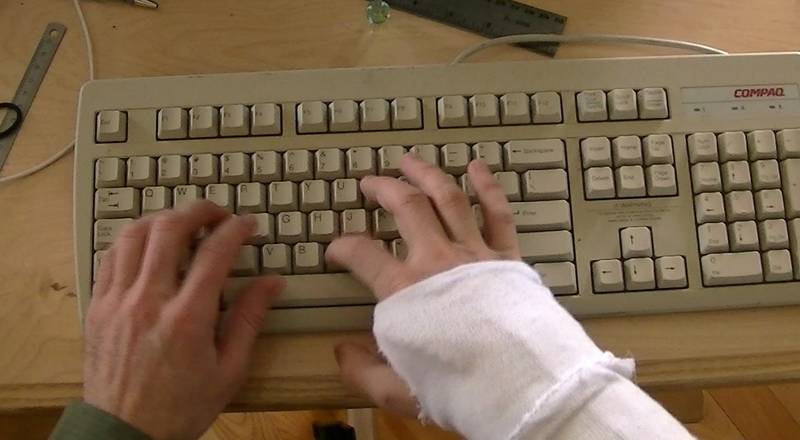 Ten days after the accident I went back for a follow-up appointment, and they put
a new cast on my arm. This one only extended half way across the palm so I had
a better range of motion with my fingers.
My arm was also getting better. So even with the cast on, I could touch type
almost normally. I didn't need to struggle with the voice recognition
software anymore.
Ten days after the accident I went back for a follow-up appointment, and they put
a new cast on my arm. This one only extended half way across the palm so I had
a better range of motion with my fingers.
My arm was also getting better. So even with the cast on, I could touch type
almost normally. I didn't need to struggle with the voice recognition
software anymore.
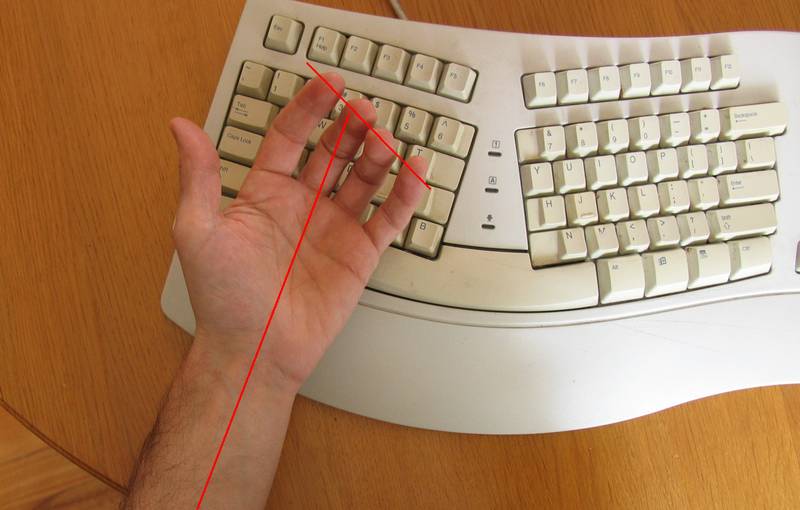
Natural keyboards aren't
Although I always thought those curvy "Microsoft natural keyboards" were kind of ugly, I figured with me unable to flex my right wrist in the cast, one of these would surely be an improvement.I guess they aren't very popular anymore, because I had to hunt around town to find even a used one. once I got it and tried it, I found that typing with it was worse than with a regular keyboard! This was odd, I thought.
Here's the problem. The natural orientation of one's palm (and the one in my cast) is with the index and middle fingers aligned roughly along the axis of the forearm (palm not quite square to the forearm) Now, if you curl your fingers to about 90 degrees, you can see that they form a line that is not at a right angle to the forearm.
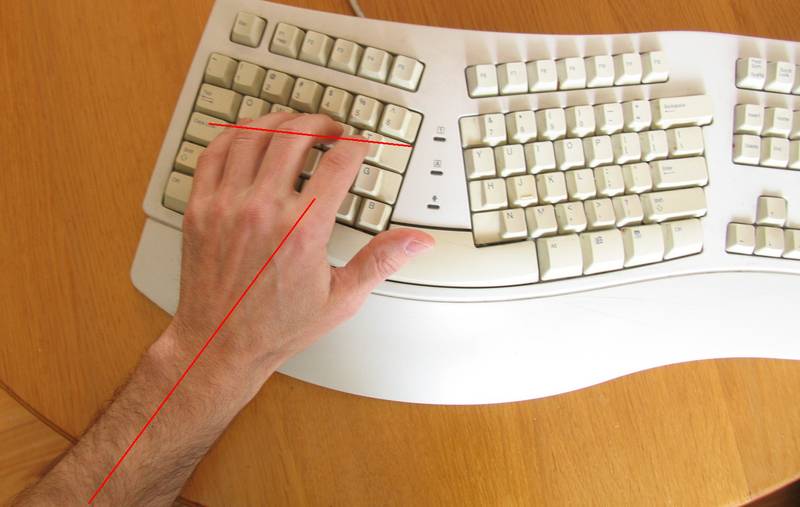 Now flipping that forearm over so the fingers point down, and the natural line of
the fingers is aligned much closer to the rows of a conventional
keyboard than the "natural" keyboard!
Now flipping that forearm over so the fingers point down, and the natural line of
the fingers is aligned much closer to the rows of a conventional
keyboard than the "natural" keyboard!
Most ergonomic keyboards nowadays have a geometry much closer to conventional keyboards than the "Natural" keyboards had.
So I think the whole idea of the "Natural" keyboard was that people bought them because they looked more ergonomic, even though they were actually less ergonomic than the plain old keyboards. The irony of it!
I guess people eventually wisened up to that and stopped buying them, or it wouldn't have been so hard to find one.
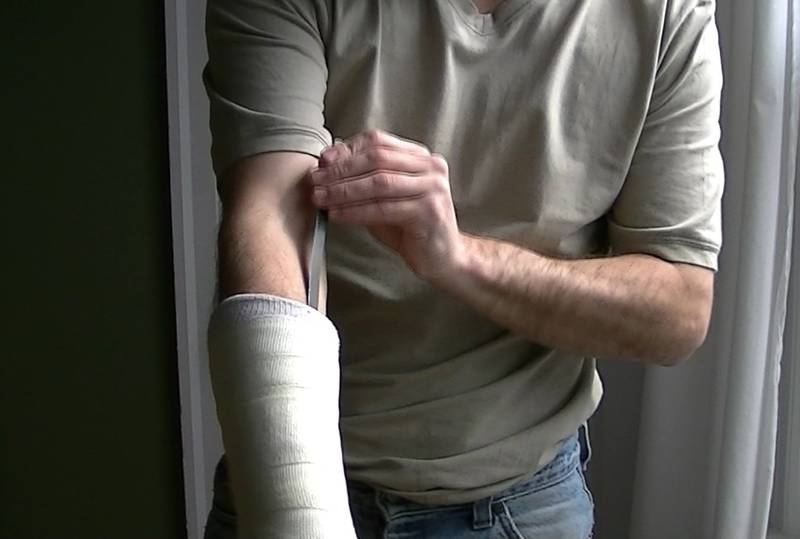
Scratching an itch in the cast
Casts get itchy over time, so of course there is a need, or at least a strong urge to scratch! They tell you not to insert stuff into your cast, but itches need scratching!A plastic ruler made for a good scratching tool when inserted from the elbow end, but it wasn't perfect. Looking around, I eventually found the perfect scratching tool: a thin metal strip cut from straps that used to hold together shipping crates. I rounded both ends to remove anything that could cut the skin. I also bent it to have a slight curve so that the end would scratch against the skin and not get caught in the stockinette lining of the cast.
With this strip, I could pretty much reach and scratch any spot under the cast.
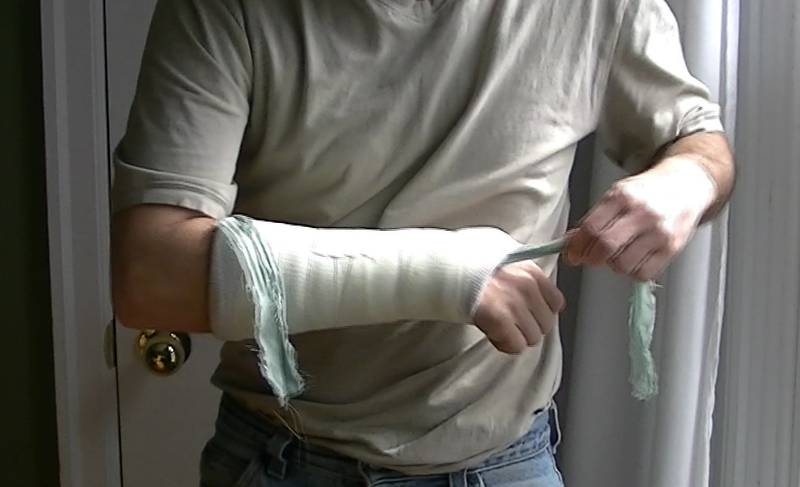 I didn't stop at scratching. After a week or so with the second cast on,
I wanted to "clean it out" a little bit. So I sewed a small pocket into the end of
a strip of cloth, then hooked that over the end of my scratching tool
and pushed it all the way through the cast.
With a moistened (not soaking wet) strip, and pulling it back and forth, I was able to work
it around and pretty much reach every spot.
The technique worked even better when standing on one end of the strip, holding the
other end up with my left hand, and moving the cast up and down to rub it around.
The moisture that this left in the cast dried out pretty quick -
the fiberglass cast is quite porous.
I didn't stop at scratching. After a week or so with the second cast on,
I wanted to "clean it out" a little bit. So I sewed a small pocket into the end of
a strip of cloth, then hooked that over the end of my scratching tool
and pushed it all the way through the cast.
With a moistened (not soaking wet) strip, and pulling it back and forth, I was able to work
it around and pretty much reach every spot.
The technique worked even better when standing on one end of the strip, holding the
other end up with my left hand, and moving the cast up and down to rub it around.
The moisture that this left in the cast dried out pretty quick -
the fiberglass cast is quite porous.
Read on to Removable cast...
