X
wikiHow is a “wiki,” similar to Wikipedia, which means that many of our articles are co-written by multiple authors. To create this article, volunteer authors worked to edit and improve it over time.
This article has been viewed 42,041 times.
Learn more...
A Photoshop Deluxe (PSD) file is an image file that is capable of having multiple layers. Originally developed for the Adobe Photoshop software, the PSD format is now also used by many other programs with multi-layer image editing capabilities. You can use a compression utility called WinZip to zip a PSD file into a compressed format.
Steps
-
1Visit the WinZip website to download and install the WinZip compression utility on your computer system.
-
2Open the Start menu using the green button at the bottom-left of your screen and select "My Computer."
-
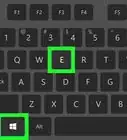
3Use the Windows Explorer window that opens up to go to the folder where
-
4Accept the WinZip terms of service.
-
5Create a new zip project by pressing the "New" button at the top.
-
6Pick the location where you want to save the zipped PSD file and assign a name for the new file.
-
7Hit the "OK" button. This will take you to the "Add" window.
-
8Use the file browser to find and select the PSD file that you want to zip.
-
9Zip the file by pressing the "Add" button. The zipped PSD file will appear in the folder that you had chosen with the filename that you had assigned.


Warnings
- If you are using a version of Windows that was released before Windows XP you may have to open WinZip manually instead of using the "Add to Zip file" shortcut through Windows Explorer.Thanks!
-Step-10.webp)


-Step-10.webp)