wikiHow is a “wiki,” similar to Wikipedia, which means that many of our articles are co-written by multiple authors. To create this article, volunteer authors worked to edit and improve it over time.
This article has been viewed 131,833 times.
Learn more...
Did you recently buy something on Etsy? You can leave a review on the shop seller’s page. You only have 100 days after the estimated shipping date to leave a review on an order,[1] so don’t hesitate!
Steps
-
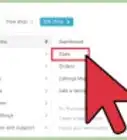
1Go to “Your Account” → “Purchases & Reviews.” Scroll down to find the order that you would like to review.
-
2Select a star rating for the first item you would like to review. You can rate between 1-5 stars, and can leave different reviews for different items.
-
3Write a review for the item. Here, you can describe the quality of the item, as well as any other notable detail that comes to mind. The idea is to help other potential buyers, as well as give the seller valuable feedback.
-
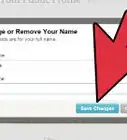
4Click “Post Your Review.” Your review will be viewable on the seller’s page as well as the item page!
- You can edit your review later by clicking “Edit Review” in the top right corner of the review.
- If your order is cancelled, your review will be deleted. However, this may take some time.
-
5Repeat for each item. Etsy allows you to leave individual reviews for different items. You can even leave multiple reviews for each!


Community Q&A
Did you know you can get answers researched by wikiHow Staff?
Unlock staff-researched answers by supporting wikiHow
-
QuestionHow long do you have to leave a review on Etsy?
 wikiHow Staff EditorThis answer was written by one of our trained team of researchers who validated it for accuracy and comprehensiveness.
Staff AnswerwikiHow Staff EditorStaff AnswerYou have 100 days, or a little over three months, to leave a review on Etsy. If the item is delayed by post, remember to add your review quickly after receiving the item.
Support wikiHow by unlocking this staff-researched answer.
-
QuestionCan Etsy guests leave reviews?wikiHow Staff EditorThis answer was written by one of our trained team of researchers who validated it for accuracy and comprehensiveness.
Staff AnswerwikiHow Staff EditorStaff AnswerAccording to Etsy’s terms and conditions, guests are not able to leave reviews. A guest would need to create an account in order to leave a review.Support wikiHow by unlocking this staff-researched answer.
-
QuestionCan you respond to Etsy reviews?wikiHow Staff EditorThis answer was written by one of our trained team of researchers who validated it for accuracy and comprehensiveness.
Staff AnswerwikiHow Staff EditorStaff AnswerWithin 100 days of the review being left, you can respond through the Shop Manager: Click your shop name under Sales Channels, then click on Reviews. Choose the relevant review, then Post on a public response. Post your response and you’ll see it appear in your Shop Reviews reviews section. Note that adding a response to a review prevents the buyer from editing their review again.Support wikiHow by unlocking this staff-researched answer.
-
QuestionHow do you leave feedback on Etsy?wikiHow Staff EditorThis answer was written by one of our trained team of researchers who validated it for accuracy and comprehensiveness.
Staff AnswerwikiHow Staff EditorStaff AnswerOpen your account and go to Your Account -> Purchases and Reviews. Select the item for feedback (Items Awaiting Feedback). Click the relevant positive, neutral or negative button option, add a comment if wished. Remember to try to solve problems direct with the seller before leaving negative feedback and if you’ve had a positive experience, be sure to share your reasons and maybe even a photo––it not only helps the seller but other buyers too. Click submit and you’re done.Support wikiHow by unlocking this staff-researched answer.
-
QuestionI would like to write a positive review on an item I purchased, but under the "purchase and review" screen there are no stars listed by the seller. Therefore, I am unable to write the review. What can I do?
 Community AnswerThere are a couple possibilities here. The item may have gotten to you quickly and the longest point of the processing time hasn't passed yet. Once it does, you will be able to leave your review. Or, if it's been more than 6 months, you are no longer able to leave one. If it hasn't been 6 months and it has been over the longest point in the processing time, then contact Etsy. There may be a bug.
 -
QuestionHow do I add a photo to a review on Etsy?
 Community AnswerYou can only add a photo through a phone app, not with the desktop website.
 -
QuestionCan a customer write a review if it has been more than 60 days?Community AnswerYes, you have up to 100 days after your purchase to write a review. After 100 days you will not be allowed to write a review.
-
QuestionHow do I leave a review for the buyer?Community AnswerEtsy doesn't allow sellers to leave reviews for buyers yet. There has been some talk about it ,but as far as I know there is still nothing in the works. A buyer can leave a review on an order, though.
-
QuestionToday I posted a 5-star review and added a photo. Every time I push submit, it says "There is a problem with your review." It doesn't say what the problem is. It will allow me to submit without a picture. What's the problem?
 Community AnswerIt could be several things, but I would start with refreshing your browser. If that doesn't help then wait 24 hours and try to post it again. Just like with all technology, there could be a glitch or bug that they are trying to fix.
 -
QuestionCan you wright a review for a seller if you have not yet bought an item?Community AnswerYou cannot review an item that you have not purchased yet. That wouldn't make sense.