X
wikiHow is a “wiki,” similar to Wikipedia, which means that many of our articles are co-written by multiple authors. To create this article, 12 people, some anonymous, worked to edit and improve it over time.
This article has been viewed 16,575 times.
Learn more...
LinkedIn is at the forefront of the job/career sector social media and is an increasingly popular means of marketing yourself in the job market.[citation needed] LinkedIn reputedly has over 400 million registered users, from over 200 different countries, making it one of the most popular websites in the world.[1] This article has been written with the aim of helping you improve your LinkedIn profile, and as a consequence, your LinkedIn marketability.
Steps
Part 1
Part 1 of 8:Developing your pitch
Part 1
-
1Consider adding a photograph. This helps people to know who you are and builds credibility.
-
2Develop a strategy. Before you even start the actual writing process, decide on your strategy. Who you are targeting? Jobs and employers or clients and business? Which jobs/employers/clients? The response to this question should affect the shape and nature of your profile.
-
3Think about what you are offering. This may not seem relevant, but it is. Some people have many strings to their bow. This is no bad thing, but just remember that employers may not be looking for jacks of all trades, and you may be better off being selective.[citation needed]
-
4Think about the kind of things your target (be it employers or clients) are looking for. Write with this target in mind.


Part 2
Part 2 of 8:Filling in the header
Part 2
-
1Decide upon your header. LinkedIn does not restrict you to just one job role, and there is space to add long headers. However, just remember that you should avoid portraying yourself as a jack of all trades.[citation needed] Usually, it is best to add something short summing up your specialization rather than a longer, more general header.

Part 3
Part 3 of 8:Filling in the profile or summary
Part 3
-
1Write your profile and/or summary. As this is free-form text, make sure that your profile flows well, is engaging, and is relevant to your target. To this end, it also helps that you keep it logical, engaging and concise.
- There is no value in trying to over complicate things with convoluted terminology, rare acronyms and technical speak.[citation needed]
- Consider adding videos, images and documents to supplement your summary.
-
2Consider the inclusion of highlights. You can use the profile section to highlight a few selected achievements. There are no rights and wrongs in this; it is something for you to consider using. At the same time, if you do include a few highlighted achievements in your profile section, there is no value in repeating them in your work section. In fact, repetition can be counter-productive.


Part 4
Part 4 of 8:Emphasizing specialties
Part 4
-
1Complete your specialties. This section is important because LinkedIn uses this section when it conducts searches.[citation needed]
- Think of keywords, and key terms that your target (employers or clients) are looking for, and include these in your specialties.
- Only list the things that are realistically a specialty of yours. Don't be so brash as to say that you are a French interpreter when you only speak pidgin French. Think of the consequences when you have to decline a job offer because you actually don't have the skill needed.

Part 5
Part 5 of 8:Creating the work experience section
Part 5
-
1Fill out the section related to work experience. LinkedIn prompts you to enter your job roles, companies and dates.
- Be selective and choose the most recent and most valuable roles.
- Additionally, rather than just listing duties, you are better off being more proactive and including impressive achievements.
-
2Include skills. Avoid simply repeating skills already mentioned. Instead, introduce some new, relevant skills and competencies, if possible.


Part 6
Part 6 of 8:Get yourself recommended
Part 6

Part 7
Part 7 of 8:Adding interests
Part 7

Part 8
Part 8 of 8:Adding personal details
Part 8
-
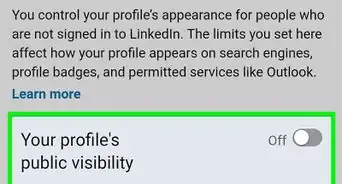
1Consider adding personal details. LinkedIn prompts for date of birth and marital status. Bear in mind that if your profile is public, which means that your details are potentially open to many people. Do you want this level of personal detail public or not?
-
2Consider adding a means of contacting you. Just beware if your profile is public.


Warnings
- Remember that literally thousands of potential employers/clients will be able to access and read your profile. Consequently, make sure that you are professional not only in what you say, but also in the photograph (if you choose to include one).Thanks!