X
wikiHow is a “wiki,” similar to Wikipedia, which means that many of our articles are co-written by multiple authors. To create this article, 17 people, some anonymous, worked to edit and improve it over time.
This article has been viewed 91,748 times.
Learn more...
Pokémon X and Y was a big step for the Pokémon franchise with many improvements from older games from the company. New 3D graphics, new Pokémon, and much more! Another feature in the X and Y games is having more of an ability to interact with other players via Internet. One feature is Wonder Trade! Wonder Trade is a very simple mechanic, you trade with another person (around the world!). You don't know what you're going to get, which makes it even more fun!
Steps
-
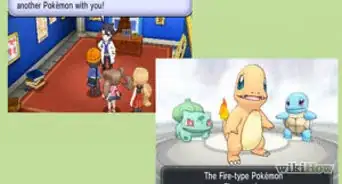
1Catch or breed a Pokémon you want to trade off. It could be any level.
-
2Nickname the Pokémon if desired.Advertisement
-
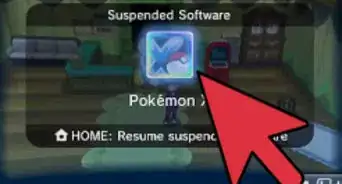
3Turn on Internet Connection. If your 3DS is not configured to Internet status, be sure to do so.
-
4Tap the button in the top middle of the PSS (Player Search System) program.
-
5Find the 'Wonder Trade' option and tap it.
-
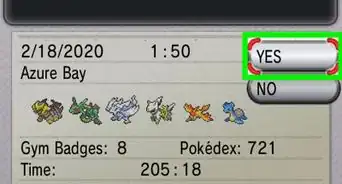
6Save your game once you're connected to the Internet.
-
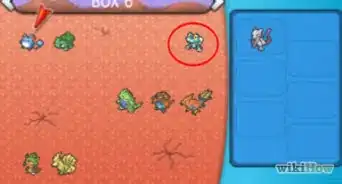
7Pick a Pokémon from your party or PC to Wonder Trade.
-
8Trade with another person.
- If you don't like what the person gave you, you can always Wonder Trade that!
- Some Pokémon Wonder Traded can be German, Spanish, Japanese, Korean, and much more! You can see where they originated from in the top left when you view their summary.
Advertisement


Community Q&A
-
QuestionHow do I trade Pokemon from Black 2 to Pokemon Y?
 Community AnswerImpossible. If you want to trade from Black 2 and White 2 to X and Y, use Pokeman Bank.
 -
QuestionI got an Arceus from Wonder Trade. Is that common?
 Community AnswerAbsolutely not. You're very lucky. Don't trade it!
 -
QuestionHow do I trade someone my Haunter so I can get a Gengar? I don't want another Pokemon; I just want a Gengar.Community AnswerThat requires a local or wireless trade, rather than a Wonder Trade. You may try making a trade with a local friend, or use the friend code of someone online.
-
QuestionHow do you cancel a trade on a 3DS?
 Community AnswerIf you accidentally pressed "A" to trade when you didn't want to, immediately turn off your power. As you're forced to save before every trade, you won't lose any saved data.
 -
QuestionWhat is Pokeman Bank?
 Happy32Community AnswerPokemon Bank is an app on the 3ds/2ds. For Pokemon X, Y, Alpha Saphire, Alpha Ruby, Sun, and Moon, you can use it as a storage (if you pay the fee of $4.99 for a year). In the app there's a button that leads you to poke transfer. The purpose of that is to grab Pokemon from any single main Pokemon game Gen 1-5 to Gen 6-7.
 -
QuestionWhat is the difference between Wonder Trading and trading?
 Community AnswerWonder Trade lets you trade with anyone around the world. Trading lets you trade with a local friend.
 -
QuestionHow can I evolve Pokémon in X and Y by trading?Community AnswerYou would have to find a trustworthy person who won't steal your Pokémon and trade with them using Link Trade. Keep in mind that only certain Pokémon can evolve by trading. As an example, Machoke can evolve into Machamp by being traded, but Pikachu can't evolve into Raichu.
-
QuestionIs saving the game optional or is it required?Community AnswerIt is optional, but if you're not going to save your game, make sure your device is always charged!
-
QuestionDo I need WiFi for Wonder Trade?Community AnswerYes. Such features require an internet connection in order to work.
-
QuestionHow can I download the game?Community AnswerGo to Nintendo eShop and search for the game you want. Then press purchase. You do need enough money in your account to buy it.






About This Article
Advertisement