This article was co-authored by wikiHow staff writer, Eric McClure. Eric McClure is an editing fellow at wikiHow where he has been editing, researching, and creating content since 2019. A former educator and poet, his work has appeared in Carcinogenic Poetry, Shot Glass Journal, Prairie Margins, and The Rusty Nail. His digital chapbook, The Internet, was also published in TL;DR Magazine. He was the winner of the Paul Carroll award for outstanding achievement in creative writing in 2014, and he was a featured reader at the Poetry Foundation’s Open Door Reading Series in 2015. Eric holds a BA in English from the University of Illinois at Chicago, and an MEd in secondary education from DePaul University.
There are 10 references cited in this article, which can be found at the bottom of the page.
Learn more...
Don’t panic if your Apple Watch isn’t turning on. There are a variety of reasons you may not be seeing anything on your watch’s screen, and most of them are extremely easy to fix. If you’re trying to diagnose the problem and put it to rest so that you can get back to using your Apple Watch like normal, you’re in the right place.
Steps
Question 1
Question 1 of 5:Why is my Apple Watch screen black?
-
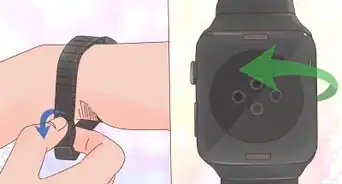
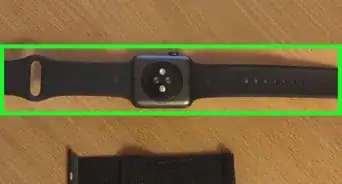
1The most common reason is that the battery is dead. Plug your charger into the wall and then stick the magnetic port to the back of your watch. If you see a green lightning bolt, it’s charging.[1]
- If you see a little red lightning bolt, this is 100% the problem. If it’s been dead for a while though, that red lightning bolt may not appear. In either case, you won’t be able to turn the watch on if there’s no juice left.
- Your Apple Watch should be at 80% charge after just 1 hour of charging. It will be fully recharged after 1.5 hours. After just 15 minutes, you should be able to turn it on.[2]
-
2It could be a bad charger if you don’t see a green lightning bolt. If you don’t see anything on the screen once you plug the charger in and stick it to the watch for a couple hours, try another outlet just to make sure it isn’t a bad outlet keeping the phone from charging. If you still just see a black screen, get a new charger and try that.[3]
- Third-party chargers are more prone to failing than chargers manufactured directly by Apple.
- If there’s any plastic wrap on the charger, take it off. This wrap can occasionally interfere with the charge.
-
3You might have forgotten to turn Screen Curtain/VoiceOver off. Screen Curtain is a privacy setting that helps you hide information on your screen by turning it off. The only way to use the watch when Screen Curtain is on is with VoiceOver on your phone. If you have Screen Curtain turned on, here’s how you turn it off:[4]
- On the paired iPhone, open the Apple Watch app and open “My Watch.”
- Touch “Accessibility” and then select “VoiceOver.”
- If “Screen Curtain” is marked as on, this is why your screen is black. Select “Screen Curtain” to turn it off, and your screen should reappear.


Question 2
Question 2 of 5:Why is my Apple Watch only displaying the time?
-
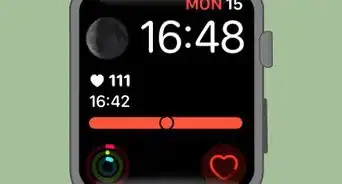
1Your watch is locked in Power Reserve mode. This setting is designed to preserve the charge for longer periods of time. To turn this off, press and hold the thinner, longer side button for 7-10 seconds. Once the Apple logo pops up, your watch will reboot in its normal mode.[5]
- If you ever want to turn Power Reserve on, swipe up on your watch’s face and tap the battery percentage. Then, just drag the slider all the way to the other side and tap “Proceed.”[6]

Question 3
Question 3 of 5:How do I reset an unresponsive Apple Watch?
-
1It’s possible that your phone is frozen, so force reset it. Your Apple Watch can freeze, just like any computer or phone. Restarting it may fix this. Press and hold down the two buttons on the side of the watch for 10-15 seconds. Once the Apple logo pops up, release the buttons and wait for the phone to reboot.[7]
- If your phone keeps freezing regularly, try updating it. An older iOS can cause an Apple Watch to get buggy.
- This should also solve your problem if the Apple Watch is frozen on a specific screen.
-
2If the watch won’t turn on after a force reset, charge it. Stick a charger on the back of your watch and let it charge for at least 15 minutes. It’s possible that your watch is unresponsive because the battery is simply dead, so charging it may solve this.[8]


Question 4
Question 4 of 5:What do I do if my Apple Watch keeps restarting?
-
1Update your Apple Watch, since it’s probably trying to update. If your iPhone needs to update, restart that first. Then, check to make sure your Apple Watch is over 50% charged, since this may take some time. Connect your iPhone to Wi-Fi and set the Watch right next to it. On the phone, press “General” and then select “Software Update.” If anything needs updating, the Watch will restart and complete the update automatically.[9]
- It may take anywhere from 5 minutes to an hour for the Apple Watch to update depending on the size of the file.

Question 5
Question 5 of 5:What if nothing seems to work?
-
1It might be a hardware problem, so take it to an Apple Store. If you’ve dropped your Apple Watch or it’s damaged in any way, that might keep your phone from turning on. You can take your watch to an Apple Repair Center, or reach out to Apple and ask them where you can ship it to get it fixed.[10]
- Your Apple Watch is water resistant, but it isn’t waterproof. In other words, if you just slipped in a pool with your watch on or you dropped it in puddle, the water may have damaged your watch.[11]
- If you don’t have AppleCare coverage on your Apple Watch, it’s worth buying. The coverage is pretty comprehensive and it may save you money in the long run![12]




References
- ↑ https://support.apple.com/en-au/HT204640
- ↑ https://www.apple.com/watch/battery/
- ↑ https://support.apple.com/en-us/HT204640
- ↑ https://support.apple.com/en-us/HT201443
- ↑ https://www.businessinsider.com/why-wont-my-apple-watch-turn-on#perform-a-force-restart-2
- ↑ https://support.apple.com/en-us/HT204608
- ↑ https://www.businessinsider.com/why-wont-my-apple-watch-turn-on#perform-a-force-restart-2
- ↑ https://support.apple.com/en-us/HT204640
- ↑ https://support.apple.com/en-gb/HT204641
About This Article