This article was co-authored by wikiHow staff writer, Madeleine Criglow. Madeleine Criglow is a wikiHow Staff writer based in the Pacific Northwest. She has over six years of experience working in copywriting, editing, and journalism. In addition to her work for wikiHow, she writes a monthly film column for Tigard Life and Tualatin Life newspaper. Madeleine graduated from the University of Puget Sound with a BA in English with an emphasis in Creative Writing.
There are 9 references cited in this article, which can be found at the bottom of the page.
Learn more...
When you take your phone out of your pocket and realize it's burning up, it can be pretty alarming. Thankfully, it's not always a cause for concern. If your phone rises above 95 °F (35 °C) or it starts warming up quite a lot, that's when you need to look into the situation.[1] Read on for the most common reasons why your phone might be getting so hot and how you can remedy each one.
Steps
Method 1
Method 1 of 14:Your phone is in the sunlight.
-
1Direct sunlight can cause your phone to overheat. Your phone can't withstand being under direct sunlight for hours. If you're outside for a beach day and must bring your phone, store it in a cool, dry place away from the sun.[2]
- You might try keeping your phone in your bag or your purse under the shade.

Method 2
Method 2 of 14:You left your phone in the car on a hot day.
-
1The inside of a car can reach up to 116 °F (47 °C) in just 1 hour. This temperature is way too hot for any phone to be left in for very long. Apple, in addition to other companies that make smartphones, advises that their phones never be stored in an environment that's above 113 °F (45 °C). Even if it's a nuisance, bring your phone with you if you have to leave your car to avoid any heat damage.[3]

Method 3
Method 3 of 14:Your charger is damaged or defective.
-
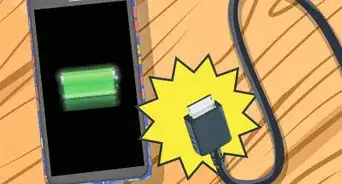
1This is the likely reason if your phone overheats when you charge it. A damaged phone charger will cause the bottom portion of your phone to heat up. This is a likely scenario if you're using an off-brand charger. These aren't as safely designed as the official chargers that come with your phone.[6]
- If you suspect this is the reason your phone is heating up, switch to a new charger and consider paying the extra cost for an officially licensed one for peace of mind.

Method 4
Method 4 of 14:You're overcharging your phone.
-
1Leaving your phone on the charger all of the time can overheat the battery. Your battery is the one source of electricity in your phone. Keeping your phone on a charger makes the battery work extra hard to build up the charge in your phone, which can make it heat up in the process.[7]
- Though it's great to have a 100% charge for peace of mind, you might consider keeping your phone at about 80% to 90% most of the time instead.

Method 5
Method 5 of 14:There is malware on your phone.
-
1Some apps contain malware and other viruses that heat up your phone. Though Apple doesn't allow apps that haven't been authorized by the company, Android phones do. If you have an Android, read customer reviews and do some background research before you download any apps on your phone. This can help you avoid apps that contain malware or other viruses, which can use up your CPU power and make your phone to overheat.[8]
- If you have an Android, check that Google Play Protect is activated on your phone. This program scans your apps to make sure they're free of malware. To check, go to "Settings" and click "Security." Then, click "Google Play Protect."[9]
- Anytime you download an app on an Android, check that it's been verified as safe by Google Play Protect. If it has, there should be a green badge underneath the title of the app in the app store.[10]
- Though uncommon, iPhones can also get viruses and malware. You might try downloading a virus scan app like AVG Mobile Security App just to be safe.[11]

Method 6
Method 6 of 14:Your phone case is heating up your phone.
-
1A case prevents your phone from cooling down. If your phone is already getting hot, a case can trap the heat inside. Next time you notice your phone is warming up, take off the case to give it some air. Just make sure you take extra care not to drop or be rough with your phone.[12]

Method 7
Method 7 of 14:You're using your GPS system in the car.
-
1Running a GPS app in a hot car may cause your phone to overheat. It takes a lot of work for your phone to run a GPS system, which can already potentially warm it up. Combine that with a hot environment like a car, especially if your phone is situated in the sun, and your phone may get super hot.[13]
- Try pointing the AC in the front of the car towards your phone while it runs the GPS system. You can also try situating your phone in a shady area of your car.[14]

Method 8
Method 8 of 14:You're using streaming apps on your phone.
-
1Using YouTube or other streaming services can be hard on your phone's processor. When you marathon your favorite TV show, your phone has to load all of the video data and keep your display screen active for an extended amount of time. This can be a lot for your phone to handle and may cause it to overheat.[15]
- To give your phone a break, close out of your streaming apps and put your phone on airplane mode.

Method 9
Method 9 of 14:You're running multiple apps at once or your apps are outdated.
-
1Your phone can get overwhelmed just like people can. If you've been talking on the phone with a bunch of apps running in the background, that might overextend your phone and cause it to overheat.[16] It's also possible that your apps are outdated and in need of an update. Older apps may contain bugs that leave your phone vulnerable to overheating.[17]
- To cool off your phone quickly, try closing out of all of the programs you're running and putting your phone on airplane mode.
- Anytime an app or software update is available, go ahead and update. Both can fix any bugs that might be heating up your phone or slowing it down.

Method 10
Method 10 of 14:You're using gaming or virtual reality apps.
-
1Games and virtual reality apps use up a lot of your phone's energy. These contain a lot of graphics that make your phone work extra hard to run. If you've been playing for a few hours, they might make your phone heat up. To cool down your phone, take a break and stop running the apps. Your phone should cool off pretty quickly.[18]
- To encourage your phone to cool down even faster, try closing all of the apps and putting it on airplane mode.

Method 11
Method 11 of 14:You're downloading a software update on your phone.
-
1The software update may be fixing a bug in the old software, which can heat up your phone. This can happen during or even right after you update your phone. Thankfully, if this is the reason your phone is heating up, it will only be temporary. [19]
- Give your phone some time to download the software update and it should cool down by itself.

Method 12
Method 12 of 14:Your phone settings are inefficient.
-
1Things like screen brightness, animated backgrounds, and widgets can overheat your phone. That's because running these programs or keeping the brightness on 100% requires a lot of CPU power. Adjust your settings to be more efficient so that your phone doesn't have to work as hard.[20]
- Visit your "Settings" page and adjust your phone's brightness to change with your environment.
- Switch your phone background to a fixed, unmoving image to give your phone an extra break.

Method 13
Method 13 of 14:You just set up your phone for the first time.
-
1Turning on a brand new phone may cause it to get a little warm. If you just got your phone and are setting up your contacts, transferring data, and downloading apps, it might start to heat up. This is totally normal and your phone will likely cool down once you've finished the setup process.[21]

Method 14
Method 14 of 14:You're in the middle of restoring your phone from a backup.
-
1This process will usually warm up your phone until it's done. While you transfer data, photos, apps, and contacts, your phone may start to heat up. This isn't a cause for concern. Once the backup is all done, your phone will start to cool down.[22]










References
- ↑ https://support.apple.com/en-us/HT201678
- ↑ https://www.samsung.com/uk/support/mobile-devices/is-there-something-wrong-with-my-samsung-mobile-device-if-it-often-gets-hot/
- ↑ https://time.com/5319693/phone-smartphone-heat-hot/
- ↑ https://www.theguardian.com/technology/2015/jul/06/why-does-my-phone-get-hot-slow-down-summer
- ↑ https://www.theguardian.com/technology/2015/jul/06/why-does-my-phone-get-hot-slow-down-summer
- ↑ https://www.online-tech-tips.com/smartphones/why-is-my-phone-hot-8-things-that-overheat-your-phone
- ↑ https://youtu.be/29dU-9im0Ao?t=190
- ↑ https://www.online-tech-tips.com/smartphones/why-is-my-phone-hot-8-things-that-overheat-your-phone/
- ↑ https://support.google.com/googleplay/answer/2812853?hl=en
- ↑ https://support.google.com/googleplay/answer/2812853?hl=en
- ↑ https://www.avg.com/en/signal/why-your-phone-gets-hot-and-how-to-fix-it
- ↑ https://www.samsung.com/uk/support/mobile-devices/is-there-something-wrong-with-my-samsung-mobile-device-if-it-often-gets-hot/
- ↑ https://support.apple.com/en-us/HT201678
- ↑ https://www.theguardian.com/technology/2015/jul/06/why-does-my-phone-get-hot-slow-down-summer
- ↑ https://www.avg.com/en/signal/why-your-phone-gets-hot-and-how-to-fix-it
- ↑ https://time.com/5319693/phone-smartphone-heat-hot/
- ↑ https://www.samsung.com/uk/support/mobile-devices/is-there-something-wrong-with-my-samsung-mobile-device-if-it-often-gets-hot/
- ↑ https://support.apple.com/en-us/HT201678
- ↑ https://www.avg.com/en/signal/why-your-phone-gets-hot-and-how-to-fix-it
- ↑ https://www.avg.com/en/signal/why-your-phone-gets-hot-and-how-to-fix-it
- ↑ https://support.apple.com/en-us/HT201678
- ↑ https://support.apple.com/en-us/HT201678
About This Article