X
wikiHow is a “wiki,” similar to Wikipedia, which means that many of our articles are co-written by multiple authors. To create this article, 15 people, some anonymous, worked to edit and improve it over time.
This article has been viewed 42,173 times.
Learn more...
Tik Tok offers a community filled with music videos that you can watch from your iOS and Android phones. The music videos are made by regular users who want to share their creations with others. You can browse through the newest feeds or search across different categories.
Steps
Method 1
Method 1 of 2:Browsing through the Feed
Method 1
-
1Launch the app. Locate the app on your Homescreen and tap it to start the app.
-
2Go to Home feed. Once launched, you should be brought to the Home feed. If not, go to the Home feed by tapping the house button on the bottom toolbar. A music video will automatically load.Advertisement
-
3Browse the feed. The Home feed contains the latest music videos posted by users. Swipe up on your screen to go to the next one. The videos will immediately load and play. These are not live music videos.
-
4Watch a music video. If you see something you like, stop swiping and stay to watch the current video on your screen.
- You can pause the video by tapping on it. Tap again to unpause.
Advertisement


Method 2
Method 2 of 2:Viewing Trending Tags
Method 2
-
1Go to Trending Tags. Tap the magnifying glass or globe button on the bottom toolbar. You will be brought a screen where you can discover more music videos. Scroll down to see the trending tags being used in the music videos.
-
2Select a tag. The list of trending tags are displayed next to each hashtag icon. Tap on one to view the most popular or most recent music videos with that tag.
-
3Watch a music video. All music videos with that tag are displayed in thumbnails. Swipe up and down to browse through them. Tap the one you’d like to watch. It will load and play. You can watch other music videos with the same tag by swiping up or down.
- You can pause the video by tapping on it. Tap again to unpause.
Advertisement


Community Q&A
-
QuestionHow do I get followers?
 Community AnswerFollow famous users. Make awesome, creative videos with nice lighting and cool backgrounds.
 -
QuestionHow do I find a friend's videos?
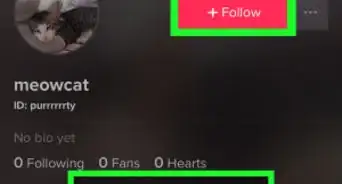
 Zhongli, Archon of Liyue (Aasim)Community AnswerYou can find a friend's videos by tapping on your profile, tapping on the person with a + in the upper left corner, then finding friends by contacts, Facebook, or Instagram.






About This Article
Advertisement