X
wikiHow is a “wiki,” similar to Wikipedia, which means that many of our articles are co-written by multiple authors. To create this article, 12 people, some anonymous, worked to edit and improve it over time.
This article has been viewed 138,699 times.
Learn more...
Watching movies on your PlayStation 3 (PS3) is simple.
Steps
Method 1
Method 1 of 3:DVD/Blu-ray
Method 1


Method 2
Method 2 of 3:Netflix
Method 2


Method 3
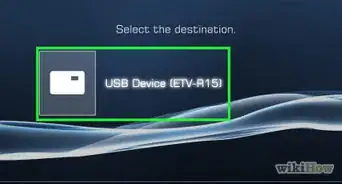
Method 3 of 3:USB Flash Drive
Method 3


Community Q&A
-
QuestionHow do I stream movies on a Playstation 3?
 Community AnswerGo to the browser and search for sites that will let you stream movies for free.
 -
QuestionCan I play movies using the BD Data Utility on a PS3?
 Community AnswerSadly, that is not an option. Your best bet would be to install Kodi on an any of your devices and watch there.
 -
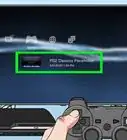
QuestionHow do I play a DVD in a PlayStation 3?Community AnswerMethod 1 DVD/Blu-ray. Start up your PS3. Log in if needed. Put your DVD or Blu-ray disc into the PS3. Start the movie. Normally, the movie should start itself. If not, go to the video section in your XMB menu and press the X button on the title of your movie to start it up.
-
QuestionHow can I watch a movie if I don't have a controller?
 Ganesh KrishnaCommunity AnswerBuy a new PS3 Blue Ray player remote or just connect your PC mouse to the PS3 socket, and then you can control it.
 -
QuestionI am signed into PSN but the Netflix icon isn't appearing on my TV screen. Do I need a system update or does my PS3 not have the space?Community AnswerIf it's downloaded, delete and re-download it. If this doesn't work, delete extra saves from games you have gotten rid of.
-
QuestionHow do I set up a PS3? What cables do I need?
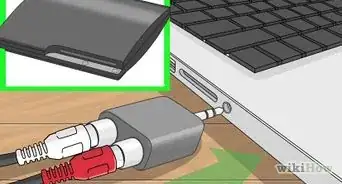
 Community AnswerThe easiest method is by using an HDMI cable (assuming your TV has HDMI ports). Otherwise you have to use the composite video cable that came with the PS3, and plug that into the box and TV.
Warnings
- Remember that Netflix charges you, and also takes up space on your PS3.Thanks!
Things You'll Need
- A PS3 (PlayStation 3)
- A DVD or Blu-ray, or a Netflix account (registered on the PS3)
- A PS3 controller
- Popcorn, soda, any treats






References
- ↑ https://www.youtube.com/watch?v=SGVbcmPml8o
- ↑ https://www.youtube.com/watch?v=SGVbcmPml8o
- ↑ https://www.bandwidthplace.com/ps3-streaming-movies-and-tv-a-users-guide-article/
- ↑ https://www.bandwidthplace.com/ps3-streaming-movies-and-tv-a-users-guide-article/
- ↑ https://www.playstation.com/en-us/explore/playstationnetwork/entertainment/netflix/