X
wikiHow is a “wiki,” similar to Wikipedia, which means that many of our articles are co-written by multiple authors. To create this article, volunteer authors worked to edit and improve it over time.
This article has been viewed 22,189 times.
Learn more...
Do you want to view the list of people you have muted on Instagram? This wikiHow teaches you how to do it.
Steps
-
1Launch the “Instagram” app. It’s the purple, pink, and orange icon with a white camera inside. Log in to your account, if you haven't done so.
-
2Navigate the profile tab. Tap on your profile icon at the bottom side of the screen to access the profile tab.Advertisement
-
3Tap on the ≡ hamburger icon. This will be located at the top-right corner of your screen. The menu panel will appear.
-
4Select Settings from the list. It will be the last option in the panel.
-
5Tap on the Privacy option. You can see this option above the “Security” settings.
-
6Navigate to the “Connections” header. Then, tap on theMuted Accounts option.
-
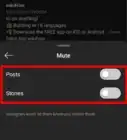
7You're done. A list of users you have muted on Instagram will show up on your screen. If you want to change your mute settings, tap on an account and go to their profile.Advertisement





About This Article
Advertisement