This article was co-authored by wikiHow Staff. Our trained team of editors and researchers validate articles for accuracy and comprehensiveness. wikiHow's Content Management Team carefully monitors the work from our editorial staff to ensure that each article is backed by trusted research and meets our high quality standards.
The wikiHow Tech Team also followed the article's instructions and verified that they work.
This article has been viewed 1,164,858 times.
Learn more...
Snapchat profiles are very basic, containing little more than a person's username and profile picture. You can only view the profiles of friends, people who've added you, or people who sent you a chat. You have to use the Snapchat app to see others' profiles. Snapchat has also removed the ability to see your contacts' best friends. You can only see your own best friends at this time. This wikiHow teaches you how to see a user's brief profile on Snapchat.
Steps
-
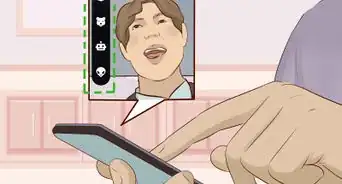
1Open Snapchat. It's a yellow app that contains a ghost logo.
- Enter your username and password if you're not automatically logged in.
-
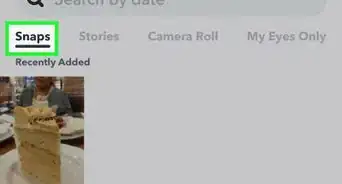
2Swipe down anywhere on the screen. This opens your user screen.Advertisement
-
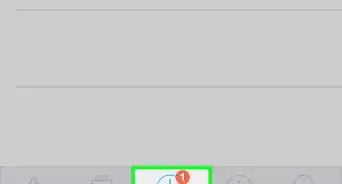
3Tap My Friends. It's near the bottom of the screen, below your Snapchat image.
-
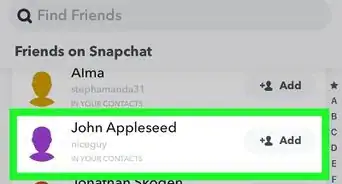
4Tap a friend's name. Select the name of a friend whose profile you'd like to view. Their profile will be basic and only contain their display name, username, zodiac sign (if they've added their birthday), their Snap Score (number of snaps sent and received), and profile image.
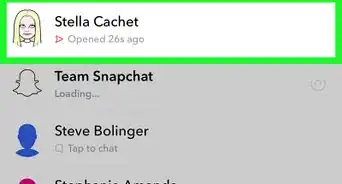
- If someone who's not on your friends list sent you a Snap or message, you can check out their profile by tapping and briefly holding on their name in your chat list.
- Some profiles may appear with an emoji that indicates how often they Snap with you or others:
- ⭐️ - This user has had a Snap replayed in the last 24 hours.
- 💛 - You are best friends with this user (you send the most Snaps to each other).
- ❤ - Best friends for two weeks straight.
- 💕 - Best friends for two months straight.
- 😊 - You are good friends with this person (lots of Snaps sent both ways), but not best friends.
- 🔥 - You are on a Snapstreak with this person, sending Snaps every day and getting responses to each one.
- 👑 - The user is a verified user, celebrity, or public figure using Snapchat.
Advertisement


Community Q&A
-
QuestionWhat does a Snapchat Profile show?
 Community AnswerSnapchat Profiles are very basic, and just contain the Snapchat user's display name, user name, Snapchat score, and Snapchat selfie.
 -
QuestionWhen I tap the ghost button at the top of my screen, what does "added me" mean and what does it do?
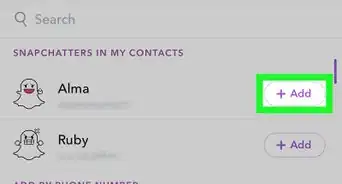
 Community AnswerIt is similar to a friend request. The users listed under "Added Me" are the people who have added you on Snapchat. You can click "add" beside a username to add that user to your friends.
 -
QuestionI still can't see someone's pictures. Do they have to friend me or no?Community AnswerYes, they have to friend you or you can't see their pictures.
-
QuestionHow can I tell if somebody has viewed one of my stories, as well as when they viewed it?Community AnswerThere are three dots at the end that look like a colon with an extra dot, click that and it will show you the number of people that watched it and their names.
-
QuestionCan I see someone's profile from a computer?Community AnswerNo, Snapchat profiles can only be viewed from the Snapchat app.
-
QuestionHow do I find a friend who is already on Snapchat?Community AnswerClick on the icon in the top left of your Snapchat screen and then click "Add Friends." From there, you can find your friend and add them.
-
QuestionDo I need to be friends with someone to see their profile?
 Community AnswerYes, You'll need to be friends with the user whose profile you want to check.
 -
QuestionCan I Snapchat with someone who is not on my profile but who is looking for me so they can be added to my list?
 Community AnswerNo, but you can send them a Snapcode or URL to add them if they are not near you.
 -
QuestionCan someone view my friends/can my friends view other friends?Community AnswerNo, they can't but the emojis may appear (such as the one where your best friend is also their best friends) which sometimes may initiate that. Otherwise viewing your friends is not possible.
-
QuestionCan I see someone else's friend list?Community AnswerNo. You can only review your own friend list.




About This Article

1. Open the Snapchat app.
2. Swipe down on the screen.
3. Tap My Friends.
4. Tap a friend's name.