This article was co-authored by wikiHow Staff. Our trained team of editors and researchers validate articles for accuracy and comprehensiveness. wikiHow's Content Management Team carefully monitors the work from our editorial staff to ensure that each article is backed by trusted research and meets our high quality standards.
This article has been viewed 23,676 times.
Learn more...
This wikiHow teaches you how to open and view any Camera Raw image file on a Windows computer without installing a third-party application.
Steps
-
1Open the Microsoft website in an internet browser. Type www.microsoft.com into the address bar, and hit ↵ Enter or ⏎ Return on your keyboard.
-
2Click the Search button. This option is listed next to a magnifier icon in the upper-right corner of the page. It will open a search field, and allow you to search the website.
-
3Search Camera Codec Pack on the website. Enter your keywords into the search field on the top-right, and hit ↵ Enter or ⏎ Return on your keyboard.
-
4Click Microsoft Camera Codec Pack in the search results. This option should be the top result under the Downloads or General information heading.
-
5Click the red Download button. You'll be prompted to select a download version on the next page.
-
6Select the codec pack for your computer's operating system. Click and check the box next to the codec pack version you want to download.
- If your computer is running the 64-bit version of Windows, you'll download the "x64" codec pack. If you're running the 32-bit version, select "x86."
-
7Click the blue Next button. This button is in the lower-right corner of the page. It will prompt you to select a download location on your computer.
-
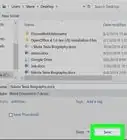
8Click the Save button. Select a download location on your computer, and click Save in the pop-up window to download the codec pack.
-
9Double-click the downloaded codec pack file. This will install the latest codec pack to your computer. You can now view Raw files in Photo Viewer.
-
10Double-click the Camera Raw file you want to view. When the codec pack is installed on your computer, Photo Viewer will allow you to view all Raw image files without third-party software.


Community Q&A
-
QuestionWhen I click install, it says 'This program is not intended for this version of windows '. Advice?
 Community AnswerMake sure that the program runs on your version of Windows. Most apps need Windows 7 or later.

About This Article

1. Open the Microsoft website.
2. Search "Camera Codec Pack" on the top-right.
3. Click Microsoft Camera Codec Pack in the results.
4. Click Download.
5. Select your Windows version.
6. Click Next.
7. Click Save.
8. Run the downloaded codec pack file.
9. Open and view any Raw file.