This article was co-authored by wikiHow staff writer, Hannah Madden. Hannah Madden is a writer, editor, and artist currently living in Portland, Oregon. In 2018, she graduated from Portland State University with a B.S. in Environmental Studies. Hannah enjoys writing articles about conservation, sustainability, and eco-friendly products. When she isn’t writing, you can find Hannah working on hand embroidery projects and listening to music.
Learn more...
If you qualify for the WIC (women, infants, and children) program, you’ve probably gotten your WIC card in the mail (and if you haven’t gotten it yet, don’t worry—it can take up to 7 days to get to you). Figuring out how to use your WIC card can be a little confusing, especially if it’s your first time. In this article, we’ll walk you through setting up your WIC card, using your card at the store, and checking your benefits.
Steps
Method 1
Method 1 of 3:Activating a New Card
-
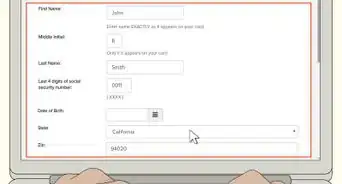
1Go online to ebtedge or call your WIC office. You can go online to ebtedge.com and sign in with your 16 digit card number. Under “EBT cardholders,” click “More Information” to open a portal to the login page. If you’re having trouble signing in, you can also call your local WIC office for help. The customer service number is on the back of your WIC card.[1]
- To log onto ebtedge.com, visit https://www.ebtedge.com/gov/portal/PortalHome.do.
- To find your local WIC office’s website, address, and phone number, visit https://www.fns.usda.gov/contacts/contact-map?f%5B0%5D=program%3A32 and click on your state. Then, select “Special Supplemental Nutrition Program for Women, Infants, and Children (WIC).”
-
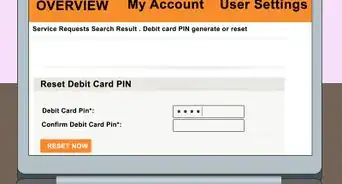
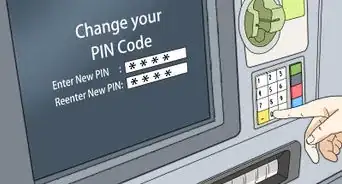
2Set up a 4-digit PIN online or over the phone. Just like a debit card, your WIC card has a PIN that you’ll need to use every time you take it shopping. If you’re setting your card up online, you’ll be prompted to create a PIN when you set up your account. If you’re calling the number on the back of your WIC card, your local WIC office will help you set up your PIN. Just be sure that you keep your PIN private, and don’t share it with anyone else.[2]
- Don’t write your PIN on your WIC card, either. If someone gets ahold of your card, you don’t want them to know the PIN.
Advertisement -
3Keep your card in a safe place. Most people put their WIC cards in their wallets or their purse. If you lose your WIC card, it can take a few weeks to get a new one, so try to keep it safe![3]
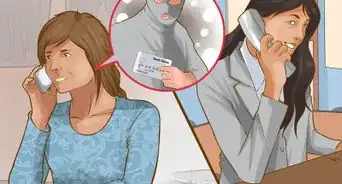
- If your WIC card gets lost or stolen, call your local WIC office to start the process of getting a new one.
Advertisement


Method 2
Method 2 of 3:Shopping
-
1Shop at WIC authorized stores. Stores that accept WIC benefits will usually have a sign somewhere on the store front. It will probably say something like, “We accept WIC!” Most grocery stores accept WIC benefits, and some convenience stores do, too.[4]
- Your local WIC office can also give you a list of stores that accept WIC benefits. You can also usually find this info on their website.
- As of 2021, most WIC cards can only be used in-person, not online. However, some WIC offices are attempting to start an online shopping portal, which might be available in your state.
-
2Look at the WIC shopping guide for a list of approved foods. You can find these online or on your WIC app. Or, your WIC clinic can give you a paper list to take with you. You can also look at the shelves of the grocery store—if the item is approved, it will have a WIC logo next to the price tag.[5]
- When you go shopping, you can choose as few or as many WIC-approved foods that you’d like. Just keep in mind that your total balance is for the month, and if that runs out, you’ll have to wait until it gets reloaded.
-
3Separate your WIC foods from non-WIC foods when checking out. If you grabbed any non-WIC food items, they’ll have to go in a separate transaction. Put your WIC foods onto the checkout lane first, then get your WIC card ready.[6]
- If you have any coupons, hand them to the cashier as you check out.
- WIC cards have a 50-item limit per transaction. If you’re buying more than 50 items, ask the cashier to separate the items into 2 transactions.
- Be sure to tell the cashier that you’re using your WIC card as you start checking out.
-
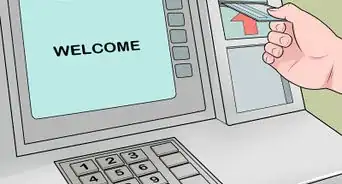
4Swipe your WIC card and enter your 4-digit PIN. WIC cards are just like normal debit cards: when it’s time to pay, just swipe them through the card reader at the checkout. The screen will prompt you to enter in your 4-digit PIN before you can finish the transaction.[7]
- If your card has a chip, you can also insert it into the chip reader.
-
5Keep your receipt to check your benefits balance. Every time you use your WIC card at the grocery store, you’ll get a receipt with your remaining food benefits and when they expire. Keep this receipt around for the next time you go shopping so you remember what you have left.[8]
- Unfortunately, you can’t return or exchange any WIC foods, so all sales are final.[9]
Advertisement


Method 3
Method 3 of 3:Checking Your Balance
-
1Check your benefits online at ebtedge.com. Every month, your WIC card gets a new balance, or benefits. These benefits list the types of food you can buy and how much of each product you can get. It’s important to keep track of these benefits, because they’re supposed to last you all month. You can log on to ebtedge.com and then navigate to the “Benefits” tab.[10]
- To check your benefits, visit https://www.ebtedge.com/gov/portal/PortalHome.do.
- Unfortunately, your benefits don’t roll over month to month, so if you don’t use them within 4 weeks, you’ll lose them.
-
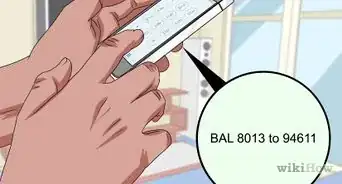
2Download an app if your state has one. Some states have created a WIC app that you can use to check your benefits on the go. Check out your state’s WIC homepage to see if they have an app, then look it up on the App Store or Google Play Store. Once you’ve downloaded the app, you can sign in with your 16-digit card number and see your benefits in the “Benefits” tab.[11]
- WIC apps also have resources and recipes you can use, as well as FAQs and other helpful information.
-
3Swipe your card at a store register if you’re already there. Any store register that takes WIC benefits can tell you your balance. If you’re already at the grocery store, simply head to a cashier and ask them if you can swipe your card. Then, they can print you a receipt that shows you your balance.[12]
-
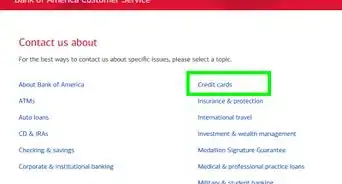
4Call your local WIC office if you need to. Heading online to check your balance is usually faster, but you can always call your local office if you’re having trouble. They can help you check your benefits and see what you have left for the month. Call the number on the back of your WIC card to reach your local WIC office.[13]
- To find the number for your local office, visit https://www.fns.usda.gov/contacts/contact-map?f%5B0%5D=program%3A32 and click on your state. Then, select “Special Supplemental Nutrition Program for Women, Infants, and Children (WIC).”
Advertisement




References
- ↑ https://www.oregon.gov/oha/PH/HEALTHYPEOPLEFAMILIES/WIC/Documents/1008-ewic-cardholder-eng.pdf
- ↑ https://www.health.state.mn.us/docs/people/wic/localagency/wedupdate/moyr/2018/10oct/17/ewicsettingpin.pdf
- ↑ https://www.doh.wa.gov/Portals/1/Documents/Pubs/961-1159-ShoppingWithYourWICCard.pdf
- ↑ https://www.doh.wa.gov/Portals/1/Documents/Pubs/961-1159-ShoppingWithYourWICCard.pdf
- ↑ https://dhhs.ne.gov/Pages/WIC-Families.aspx
- ↑ https://www.doh.wa.gov/Portals/1/Documents/Pubs/961-1159-ShoppingWithYourWICCard.pdf
- ↑ https://www.oregon.gov/oha/PH/HEALTHYPEOPLEFAMILIES/WIC/Documents/1008-ewic-cardholder-eng.pdf
- ↑ https://www.oregon.gov/oha/PH/HEALTHYPEOPLEFAMILIES/WIC/Documents/1008-ewic-cardholder-eng.pdf
- ↑ https://www.youtube.com/watch?t=311&v=H6nRclt3Xl4&feature=youtu.be
About This Article