This article was co-authored by wikiHow Staff. Our trained team of editors and researchers validate articles for accuracy and comprehensiveness. wikiHow's Content Management Team carefully monitors the work from our editorial staff to ensure that each article is backed by trusted research and meets our high quality standards.
There are 7 references cited in this article, which can be found at the bottom of the page.
This article has been viewed 102,101 times.
Learn more...
Libraries are incredible! Not only do they collect and store the wealth of human knowledge and make it easily accessible to anyone who needs it, but there’s a ton you can use a public library for that you may not have even realized. Did you know that your library can help you plant a garden, file your taxes, or learn a new language? Well, it’s true! Check out this list of some of the many things super cool things you can do at your local library.
Steps
Method 1
Method 1 of 14:Get yourself a library card.
-
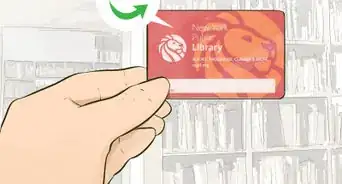
1It’s the first step into accessing a wide range of services. Having fun isn’t hard if you’ve got a library card! You’ll need one in order to use your library to do things like borrow books and access online resources. It’s also super easy to get one—simply visit your local branch and ask for one. You’ll need some form of ID and proof of address to show that you live in the area and your librarian will be able to get you one right there on the spot.[1] [2]
- Some libraries may allow you to request a library card online so check out their website to see if you can.
- For ID, you can use your driver’s license, government ID, or even a school ID. You can often use a utility bill or your lease to show your proof of residence.
- Insurance cards also qualify as valid ID.[3]
- If you don’t live in the area, you may be able to use a non-resident card or access library services as a guest. Talk to the branch librarian to see how you can do it.
- Minors will need to have a parent or guardian sign their application, though some libraries allow young adults (ages 16-17) apply for a card on their own with a valid ID.[4]
Advertisement


Method 2
Method 2 of 14:Ask your librarian for help finding something.
-
1They can assist with research and help you locate materials. You might be surprised at just how much librarians can do. Sure, they can help you find any books, movies, or anything else you’re looking for. But they’re also actually trained research assistants and can help you look up information, access databases, or find materials you can use. All you have to do is ask and they’ll be happy to assist.[5] [6]
- Librarians can also help you look for jobs, fill out applications, register to vote, and even file your taxes. Seriously, librarians are superheroes. If there’s something they can’t help you with, they can likely point you to someone or somewhere that can.
- They can also help you out with your homework, too!

Method 3
Method 3 of 14:Enjoy the quiet rooms and cubicles.
-
1It’s a great space for working and learning. Bring a book or set up your laptop in one of the library's quiet study rooms. Some libraries may also cubicles you can use while you’re there as a sort of temporary office. Take advantage of the peace and quiet to get some work done, learn something, or simply enjoy a great read.[7]
- You may need to reserve a cubicle ahead of time, so check with your librarian.
- Some libraries may even offer whole rooms you can reserve to work in.
Advertisement

Method 4
Method 4 of 14:Access the internet for free.
-
1Libraries offer public computers and wifi you can use. Use your library card number to log on to one of the public computers or ask a librarian to help you access one. You can also use your card information in order to access and use wireless internet (wi-fi) if your library offers it. Look up information, send some emails, check out social media, or just surf the net![8]
- There may be a time limit for how long you can access a public computer, so just keep that in mind.

Method 5
Method 5 of 14:Read newspapers and magazines.
-
1You can look through past editions as well as the latest ones. Most libraries have subscriptions to many of the major national and local newspapers and magazines, so you can flip through the latest ones. You can also check out the database and collections your library maintains to read previous editions or to even look through historical ones. Ask your librarian about how you can access the collections.[9]
- For instance, you may be able to look through microfilms of newspapers and magazines from decades or even a hundred years ago!
- You can also read the latest New York Times or Washington Post without having to get a subscription of your own simply by going to the library.
Advertisement

Method 6
Method 6 of 14:Have fun at scheduled programs and events.
-
1Many libraries offer a wide variety for you to enjoy. Some libraries hold author nights where a writer comes in to talk about their latest book or project and you can buy their work (they might even sign it for you). Your library may also offer programs such as storytime for children, gaming clubs or karaoke for teens, and classes and lectures for adults that could be on a variety of topics like meditation or life skills. Take a look at what your library has to offer and check out anything that looks interesting to you![10]
- Most libraries keep a calendar of scheduled events and programming so you can take a look through them.

Method 7
Method 7 of 14:Check out seeds to plant at home.
-
1Some libraries have a seed bank you can look through. Yes, it’s true! While libraries can plant the seeds of knowledge in people’s minds, they can also help you plant seeds of your own—literally. Some libraries keep a collection of seed packets that you can check out and take home to plant. Ask your librarian if your branch has a seed bank. If they do, take a look at what they’ve got and take home whatever you’d like to try to grow.[11]
- You can try growing some veggies, herbs, peppers, flowers, or whatever you like!
- There might be a limit for how many seed packets you can take home.
Advertisement

Method 8
Method 8 of 14:Borrow books, movies, music, and more.
-
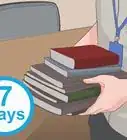
1There are a ton of things you can check out and enjoy. It’s no small secret that you can borrow books from libraries, which is super great, but did you know there are other things you can borrow? You can check out DVDs, CDs, and sometimes even toys! Find the items that appeal to you and take them to a librarian at the front desk. They’ll check it out for you and you’re all set.[12] [13]
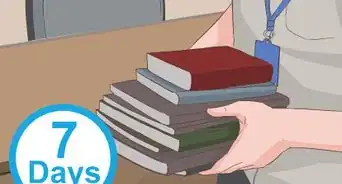
- Most books can be borrowed for 3 weeks at a time, but movies and music may be a bit shorter. For instance, you may only be able to borrow a DVD for a week at a time.
- You can also request books through your library’s website and they’ll place them on hold so all you have to do is pick them up!

Method 9
Method 9 of 14:Rent e-books and e-audiobooks through remote services.
-
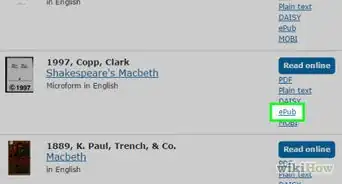
1Download an app or access them through the website. If you have an e-reader, log in to the library’s remote or digital services using your library card. Take a look at what’s available and borrow what you like. You’ll be able to read or listen to it for a period of time and usually, it’ll automatically be returned once your time is up.[14]
- Some libraries also have apps you can download and use to check out e-books and audiobooks so you can read or listen to them on your phone or tablet.
- You may even be able to borrow and stream digital media such as movies and music through your library’s website or app.
Advertisement

Method 10
Method 10 of 14:Extend your loans if you need more time.
-
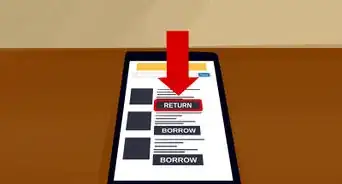
1If no one has requested the item, it should be fine. If your books or other materials from the library are just about due, simply request to extend your loan and you can keep them for a few more weeks. If someone else has requested the item, you may need to return it and request to have it again once it’s available.[15]
- You may not be able to extend your loan for some items such as movies.

Method 11
Method 11 of 14:Request items that aren’t available in your branch.
-
1Another library in the system may have it. If you can’t find something like a book or movie in your branch, ask your librarian to look it up and see if another library in the system has it. If it does, you can request it and it’ll be brought to your library so you can pick it up! You may even be able to request items through an inter-library loan, which means you can request them from across the country.[16]
- You may need to wait a few days or weeks for the items to arrive after you request them.
Advertisement

Method 12
Method 12 of 14:Check out the online resources your library offers.
-
1You can access classes, tutorials, market research, and other resources. Use your library card to log in to your library’s online resources. You can access them at your local branch or log in to your library’s website from home (or anywhere else). Look through the free lectures, classes, and other programs available and access any of them that interest you.[17]
- For instance, you may be able to learn how to use a program like Adobe Photoshop or Microsoft Powerpoint for free.
- You can also take advantage of courses that teach you about subjects like entrepreneurship, starting a business, or saving for retirement.
- Most public and university libraries have databases that provide access to scholarly articles.[18]

Method 13
Method 13 of 14:Learn a new language.
-
1Most libraries offer free language learning programs. Log in to your library’s online resources to see what language learning services they offer. Your library may also have clubs or programming where people get together to learn and study a language. Ask your librarian what resources they offer to help you learn a new language and get started![19]Advertisement

Method 14
Method 14 of 14:Look through digital collections.
-
1Many libraries have digitized their historic collections. Many libraries maintain collections of old photographs, maps, historic prints, and even manuscripts. You can use them for genealogical or any other type of research. Log in to your library’s system to access them remotely so you can check them out from wherever you are![20]

Community Q&A
-
QuestionHow do you take care of library materials?
 Kim Gillingham, MAKim Gillingham is a retired library and information specialist with over 30 years of experience. She has a Master's in Library Science from Kutztown University in Pennsylvania, and she managed the audiovisual department of the district library center in Montgomery County, Pennsylvania, for 12 years. She continues to do volunteer work for various libraries and lending library projects in her local community.
Master's Degree, Library Science, Kutztown UniversityTreat the book the way you would your favorite book. Make sure that your hands are clean when you're handling it, and don't eat or drink while reading. Also, keep all library materials away from small children and pets. -
QuestionDo we need to stay quiet in the library?Kim Gillingham, MAKim Gillingham is a retired library and information specialist with over 30 years of experience. She has a Master's in Library Science from Kutztown University in Pennsylvania, and she managed the audiovisual department of the district library center in Montgomery County, Pennsylvania, for 12 years. She continues to do volunteer work for various libraries and lending library projects in her local community.
Master's Degree, Library Science, Kutztown UniversityNot necessarily! These days, quiet in the library is not nearly as important as it was in previous decades. Now, you'll find movies, interactive story times, and town hall meetings all happening at your local library. For those who need a quiet place to study, many public and most academic libraries have quiet areas. -
QuestionHow are books arranged?
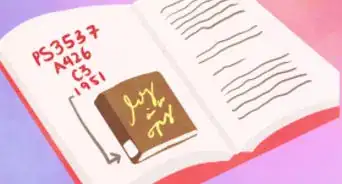
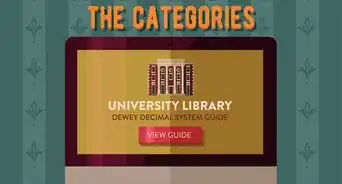
 DonaganTop AnswererWorks of fiction are arranged by the author's last name in alphabetical order. Non-fiction books are arranged by topic, typically using the Dewey Decimal System as written on the spines of the books.
 -
QuestionHow can I get a library card?
 Community AnswerYou can sign up for a library card at the front desk of your local library.
 -
QuestionWhat do I need to go online at a public library?Community AnswerIt depends on the library. Some have free WiFi, so you would be able to get online with a laptop, netbook, tablet, or smartphone. Others offer free Internet service on their public computers. Some libraries require you to have a library card, but others offer the service to anyone.
-
QuestionHow do take good care of the library?Community AnswerReturning your books when your time with the book is up is a good way to take care of a library. Also, if you pull a book off a shelf and decide you don't want it, make sure to put it in the correct spot. Librarians and volunteers take a lot of time organizing libraries, and we should respect that.
-
QuestionHow do I use a library printer?
 C GraceCommunity AnswerDifferent libraries around the world will have different printers, depending on their resources. Drop by your local branch and ask your librarian how to use the printer onsite.
 -
QuestionI am a doctoral student doing a qualitative study. Can I conduct interviews with my participants at a local public library?Community AnswerEmail the public library staff to ask for permission before starting the interviews, as they may ask you to go someplace specific to minimize noise.
-
QuestionCan I use any library?
 Community AnswerIn most cases, you can use certain services at any library, like the internet (for a fee), but you must be a member of the library to check out books.
 -
QuestionHow do I find out which library I'm supposed to go to?C GraceCommunity AnswerAsk friends and neighbors if they know where the local library is. Also, your municipal offices will have a list of the branches and locations. If you live in a city with multiple branches, you can probably go to any of them within the city limits. If you live in the country, you may have to drive some distance to another village or town.
Warnings
- If you damage or break something you borrow from the library, you may have to pay a small fee to replace it, so try to take care of everything you check out!Thanks!


References
- ↑ https://www.bklynlibrary.org/use-the-library/borrow
- ↑ Kim Gillingham, MA. Master's Degree, Library Science, Kutztown University. Expert Interview. 15 May 2019.
- ↑ Kim Gillingham, MA. Master's Degree, Library Science, Kutztown University. Expert Interview. 15 May 2019.
- ↑ Kim Gillingham, MA. Master's Degree, Library Science, Kutztown University. Expert Interview. 15 May 2019.
- ↑ https://medium.com/everylibrary/its-called-a-public-library-here-s-how-it-works-9a63cc6614f5
- ↑ Kim Gillingham, MA. Master's Degree, Library Science, Kutztown University. Expert Interview. 15 May 2019.
- ↑ https://medium.com/everylibrary/its-called-a-public-library-here-s-how-it-works-9a63cc6614f5
- ↑ https://medium.com/everylibrary/its-called-a-public-library-here-s-how-it-works-9a63cc6614f5
- ↑ https://www.bpl.org/resources-types/newspapers/
- ↑ https://www.shreveporttimes.com/story/life/2018/08/30/things-can-library/37636125/
- ↑ https://oaklandlibrary.org/blogs/library-community/10-things-you-can-do-your-library-card
- ↑ https://oaklandlibrary.org/blogs/library-community/10-things-you-can-do-your-library-card
- ↑ Kim Gillingham, MA. Master's Degree, Library Science, Kutztown University. Expert Interview. 15 May 2019.
- ↑ https://www.nypl.org/about/remote-resources
- ↑ https://medium.com/everylibrary/its-called-a-public-library-here-s-how-it-works-9a63cc6614f5
- ↑ https://medium.com/everylibrary/its-called-a-public-library-here-s-how-it-works-9a63cc6614f5
- ↑ https://medium.com/everylibrary/its-called-a-public-library-here-s-how-it-works-9a63cc6614f5
- ↑ Kim Gillingham, MA. Master's Degree, Library Science, Kutztown University. Expert Interview. 15 May 2019.
- ↑ https://oaklandlibrary.org/blogs/library-community/10-things-you-can-do-your-library-card
- ↑ https://www.nypl.org/about/remote-resources
About This Article