X
wikiHow is a “wiki,” similar to Wikipedia, which means that many of our articles are co-written by multiple authors. To create this article, 12 people, some anonymous, worked to edit and improve it over time.
This article has been viewed 71,630 times.
Learn more...
Do you want to know how to use your GameCube controller on the Wii? Look no further! Scroll down to Step 1 to learn how.
Steps
-
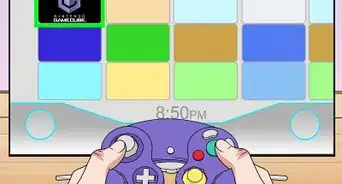
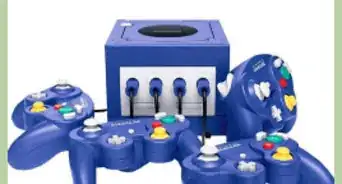
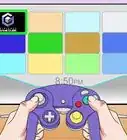
1Purchase a Nintendo GameCube Controller.
-
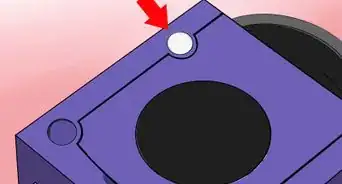
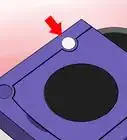
2Look for the four GameCube Controller slots. You should be able to lift a tab revealing the controller slots and Memory Card slot.
-
3Plug the GameCube Controller into the controller slot.
-
4Start up a Nintendo GameCube Controller compatible Wii game or a Nintendo GameCube game.
-
5Start playing!


Community Q&A
-
QuestionCan I start the GameCube game just using the GameCube remote?
 Community AnswerNo. You have to start the game with your Wii-mote. Then you can use the controller.
 -
QuestionDoes a Gamecube need a memory card to operate?
 Community AnswerNo, the only time that you need to use a Gamecube memory card is if you want to save progress on a Gamecube game.
 -
QuestionWhat if my black Wii doesn't have the Gamecube slot?
 The_generals2014Community AnswerNewer models do not have Gamecube capability. This measure was to save cost.
 -
QuestionOn which side of the Wii are the Nintendo GameCube ports located?NightcatCommunity AnswerThey are on the top. The Wii Family Edition and Wii Mini cannot play GameCube games and thus do not have these ports.
-
QuestionHow do I get to the Wii menu with a GameCube controller?
 Louis SaphersonCommunity AnswerYou can't. This is only used with the Wii console, so you have to press the Power button on your system once while playing a GameCube game to reset the console and return to Wii mode, then you are now back at the Wii menu.
 -
QuestionCan Wii Remotes work at the same time as GameCube controllers?Brice GrahamCommunity AnswerYes they can only in certain Wii games. Because some games (I'm looking at you Twilight Princess) will not work with a GameCube controller.
-
QuestionIf I start the game with the Wii-remote, then start using the GameCube controller, does the Wii remote need to be turned off to use the controller?Brice GrahamCommunity AnswerIf it's a GameCube game, the Wii remote will just automatically shut itself off. If it's a Wii game, once the game loads up if you press start or A with the GameCube controller, it will be player 1. The Wii remote will stay on for awhile and can be used as player 2, however if it is not used for a certain period of time it will turn itself off. So in short the answer is no, the Will remote will turn itself off in both situations. This is also a way to save a bit of battery life because Wii remotes eat AA batteries for breakfast.
-
QuestionWhat if a GameCube remote does not connect to a Wii?
 SpaceshipCommunity AnswerIt is possible that you are simply using the wrong Wii model or it is broken.
Warnings
- Only some Nintendo Wii games are compatible with your Nintendo GameCube controller. Look for the GameCube Controller image on the top right corner on the back of the Wii game's case. If there is one, then the game is GameCube Controller compatible.Thanks!
Things You'll Need
- A Nintendo GameCube Controller
- A Nintendo Wii
- A Nintendo GameCube game or GameCube Controller compatible Nintendo Wii game