X
wikiHow is a “wiki,” similar to Wikipedia, which means that many of our articles are co-written by multiple authors. To create this article, volunteer authors worked to edit and improve it over time.
This article has been viewed 29,804 times.
Learn more...
There are many reasons that you might want to have more than one phone number. Using a different number to your personal number for work, dating, using classifieds, or making international calls can be a smart move. However, constantly switching from one device to another isn’t always ideal. This article will show you how to use multiple phone numbers on a single device.
Steps
Method 1
Method 1 of 2:Using an app
Method 1
-
1Download a mobile app on your smartphone. Although most communication apps rely on Internet calls, some allow the use of “virtual” phone lines through your SIM card’s network. Open the App Store (on iOS) or the Play Store (on Android) and type second number in the search field at the top. Tap Get or Install to download the app you want.
-
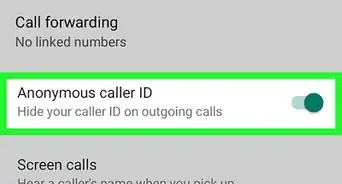
2Create an account and choose your number. Once the download is complete, open the app and follow the steps to register. Some services offer a free trial for a few days and many have different nationalities of numbers to communicate with other countries at affordable rates.


Method 2
Method 2 of 2:Using a dual SIM phone
Method 2
-
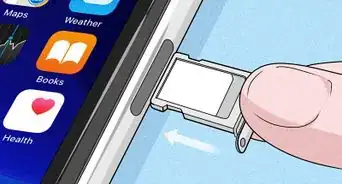
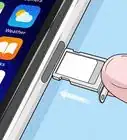
1Find a compatible device. Many smartphones have either two SIM slots or an eSIM (virtual SIM) in addition to the physical card. If you’re not sure about which one to get, you can search for “dual SIM phones” on the Internet to find reviews and rankings.
-
2Set up your device.
- For Android, install your two SIM cards. Because every model is different, you might need to check the manual. Then go into Settings > Connections > SIM card manager. You’ll then be able to select if you want to only use one card or both at the same time, and set the default SIM for calling, messaging or accessing the Internet. You can also assign one to each of your contacts in your phonebook.
- For iOS, if your iPhone supports eSIM, go into Settings > Cellular/Mobile Data > Add Cellular/Data Plan and scan the QR code that was provided to you by your new operator or tap Enter Details Manually. You’ll then be able to select a default line for all of your communications or assign one to each of your contacts in your phonebook.