X
wikiHow is a “wiki,” similar to Wikipedia, which means that many of our articles are co-written by multiple authors. To create this article, volunteer authors worked to edit and improve it over time.
This article has been viewed 24,021 times.
Learn more...
So you want to use a mod like Replay for Minecraft but also want the aesthetic that comes with a really nice shader pack? OptiFine is no longer compatible with Forge as of the Minecraft 1.13 update! Well, there's a workaround; follow this tutorial to use both mods and OptiFine, together!
Steps
-
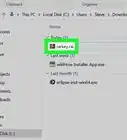
1Create a new folder on your desktop. You’ll store everything there so you can find it easily.
- Right-click, select “New,” then select “Folder.”
- Name the folder something you’ll remember and recognize.
-
2Download MultiMC.
- Go to the MultiMC download link: https://multimc.org/
- Click the appropriate download link for your computer.
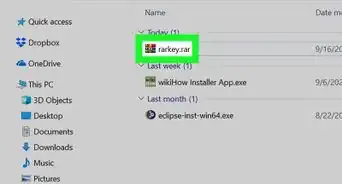
- Click “Save File” and place it in the folder you created at the beginning of this article.
Advertisement -
3Extract the MultiMC folder from the zip folder you just downloaded.
- Create a new folder inside the folder you created earlier.
- Right-click the zipped folder and select “Extract Files…” and extract it to the new folder you just made.
- Inside the folder, you should be able to find an executable file called MultiMC.
- Open this and have it in the background for later. Do not click anything on it yet.
-
4Install Fabric.
- Open the Fabric MultiMC instance location link: https://fabricmc.net/use/
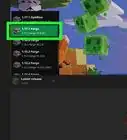
- The correct options should already be selected, so don’t change anything unless you want to play on an earlier version. As of the upload of this article, the only available Fabric version is 1.14. If further updates are available in the future, they should be auto-selected—if not, you can always select them manually.
- Click “Copy MultiMC Instance URL”
- Go back to MultiMC, which should still be open.
- Click “Add Instance” in the top-left corner.
- Click “Import from ZIP” on the left.
- Paste the link you copied on the Fabric website into the space provided in MultiMC.
- Give it a name and group, then select “OK.”
- Good job! You now have the fabric mod loader installed via MultiMC.
-
5Download the Fabric API.
- Go to the Fabric API download link: https://www.curseforge.com/minecraft/mc-mods/fabric-api
- Click “Download” near the top-right corner.
- When the file is done downloading, click “Save” and save it to the folder on the desktop that you made at the beginning of the article.
- Go back to MultiMC.
- Right-click the instance you just made and select “Edit Instance.”
- Select “Loader Mods” from the menu on the left.
- Click “View Folder” on the bottom-right corner.
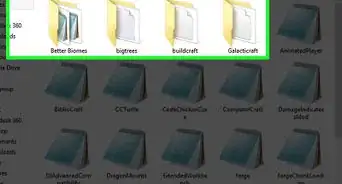
- Open the desktop folder you made at the beginning of the article.
- Drag the Fabric API from the desktop folder to the folder you just opened using MultiMC.
- Keep the folder open for the next step.
- Good job! You now have the API ready for any Fabric mods that you will be using—including OptiFabric and the Replay Mod, which we will cover next in this article!
-
6Download OptiFabric.
- Go to the OptiFabric mod download link: https://www.curseforge.com/minecraft/mc-mods/optifabric
- Click “Download” near the top right corner.
- Click “Save” and save it to the desktop folder you made at the beginning of the video.
- If the desktop folder is not already open, open it.
- Drag the OptiFabric mod from the desktop folder to the mods folder that you opened with MultiMC in the last step.
- Awesome! OptiFabric is installed!
-
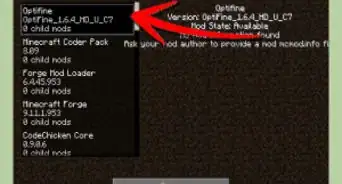
7Install OptiFine.
- Go to the download link for OptiFine: https://optifine.net/downloads
- Click the download for the 1.14.3 version of Minecraft.
- Do not click the first “Download” button you see. It’s unsafe. Click “Deny” on the notification request as well. Do not allow it to send you push notifications.
- Click the download link that appears after you click “Skip Ad.”
- Save the OptiFine ZIP to the desktop folder you made at the beginning of the article.
- Drag the OptiFine ZIP from your desktop folder to your mods folder that you opened earlier.
- Congratulations! OptiFine is now ready to go!
-
8Add other mods.
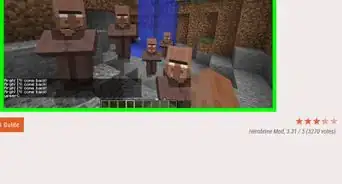
- Choose whichever mod you want for 1.14 (make sure it uses the Fabric mod loader!) and drop it into your mods folder. As long as there are no conflicting mods, it should work great!
Advertisement


Community Q&A
-
QuestionHow do I do this in Pocket Edition?
 Community AnswerYou cannot install mods (including OptiFine) in Minecraft Bedrock, which is any version of the game that just says "Minecraft" in the menu screen, not "Minecraft Java Edition".
Warnings
- These are Windows instructions. They may work differently on Linux or Mac.Thanks!
- The mods only apply to the JAVA edition of Minecraft 1.14. Bedrock edition is not supported, and 1.13 is not supported either.Thanks!
Advertisement
-Step-12.webp)
-Step-9.webp)
About This Article
Advertisement