This article was written by Nicole Levine, MFA. Nicole Levine is a Technology Writer and Editor for wikiHow. She has more than 20 years of experience creating technical documentation and leading support teams at major web hosting and software companies. Nicole also holds an MFA in Creative Writing from Portland State University and teaches composition, fiction-writing, and zine-making at various institutions.
This article has been viewed 9,205 times.
This wikiHow teaches you how to find, purchase, and redeem deals using Groupon on your computer, phone, or tablet. In addition to buying vouchers for local activities, discounts, and services, you can also order Groupon Goods, which are exclusively-discounted products for Groupon members.
Steps
Method 1
Method 1 of 2:Browsing for Groupons
-
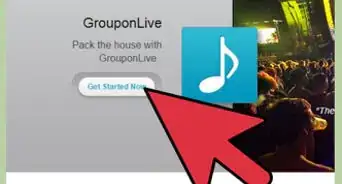
1Go to https://www.groupon.com in a web browser. You can browse for discounts and deals on Groupon using any web browser on a computer, phone, or tablet. If you'd prefer to use a mobile app, you can download Groupon from the App Store (iPhone/iPad) or the Play Store (Android).
-
2Create an account. To get started on the website, click Sign Up at the top-right corner, and then follow the on-screen instructions to create an account. If you're using the mobile app, go to My Stuff > Sign In or Sign Up > Create an account.Advertisement
-
3Fill out your profile. Groupon offers thousands of deals to people around the globe. The best way to see more offers for your favorite products and activities is to fill out your profile.[1]
- On a computer: Click My Stuff at the top-right corner, select Profile, and then select your favorite categories. You can also enter your location if you want to see deals in your area (recommended).
- On the mobile app: Tap My Stuff, tap Preferred Categories, and then tap the categories that interest you.
-
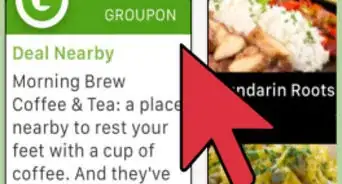
4Click Featured to find out about the latest deals. It's at the top-left corner of the website, and at the bottom-left corner of a phone or tablet. This displays a curated selection of some of the more popular deals available.
- Groupon uses your phone or tablet's location to show you featured deals in your area. If you're using a computer, the location you added to your profile will be used to show you relevant deals.
-
5Click Categories to browse deals by category. It's the menu near the top-left corner of the website. If you're using the mobile app, tap the icon of three lines with three dots near the top of the screen.
- Click or tap Local view categories for deals that are in your area only.
- You can also search for certain types of deals using the Search option.
-
6Click an offer to learn more about it. This is where you'll find the Groupon's price, location (if applicable), terms, dates available, reviews (sometimes), and the option to buy.
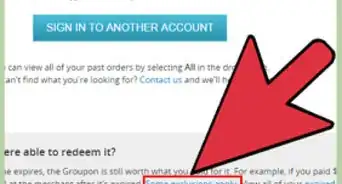
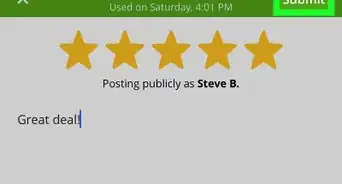
- Before purchasing a Groupon, make sure you've read as much about it as possible. Scroll down and thoroughly read the About This Deal, Fine Print, and About the Merchant sections. Investigate the reviews, check out the company or provider's website (if applicable), and make sure you understand any additional costs.
- To save a Groupon to your wishlist, click Add to wishlist (website) or tap the heart at the top of the deal (mobile app).
-
7Click Buy to purchase the Groupon. If you're buying a service, trip, discount voucher, or marketplace item, you'll be taken to an order page on which you can enter your billing information. If you're buying a product through Groupon Goods, it will be added to your shopping cart.[2]
- Some Groupons offer multiple options at different price points. Be sure to select the price point you want to pay if given a choice.
- If the Groupon is a trip or service that requires you to book for a specific date, follow the on-screen instructions to choose the dates from the provided calendar or list.[3]
- Groupon offers free shipping on total purchases that exceed $34.99.
-
8Follow the on-screen instructions to make your purchase. The remaining steps may vary depending on the type of Groupon you purchased. Once your payment is processed, you will receive an email confirmation.
-
9Manage your Groupons in My Stuff. This link is at the top-right corner on the website, and the bottom-right corner in the mobile app. Click the My Groupons link in this menu to see a list of all of your purchased Groupons.
- Click View Details or the deal name to view redemption instructions for your purchase, if applicable.
Advertisement


Method 2
Method 2 of 2:Redeeming a Groupon Voucher
-
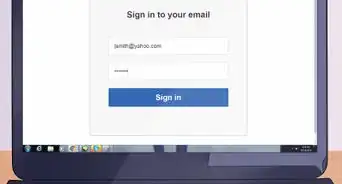
1Sign in your GroupOn account. You can log in at https://www.groupon.com or by launching the GroupOn app on your Android, iPhone, or iPad.
-
2Click My Stuff. It's near the top-right corner of the screen on a computer, and at the bottom-right on a phone or tablet.[4]
-
3Click My Groupons. This displays a list of all of your purchased deals.
-
4Click View Details on the reward you want to redeem. If you're using the mobile app, just tap the deal to reveal its details.
-
5Click the green View Voucher button. It's on the left side of the page on a computer, and at the bottom of the screen in the mobile app.
-
6Write down and/or copy the redemption code. If you're using a computer, the number appears under "Redemption Code." If you're using a phone or tablet, it's the number under "Voucher."
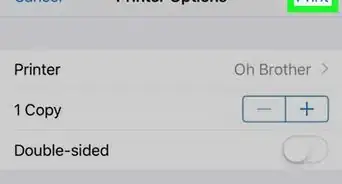
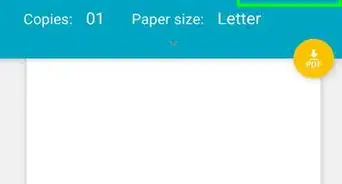
- If the deal must be redeemed in person, print out the page you see and bring it to the location (if you're on a computer) or simply return to this screen in the mobile app at the location so you can show it to a representative.
-
7Follow the on-screen instructions for the deal. Depending on the deal, you may be able to redeem it online or in-person. Check the instructions that appear in the "How to Use" section to learn exactly what is required for redeeming this deal. You'll usually have to click a link, enter the code into a specific field, and then follow the on-screen instructions to complete the purchase or order.Advertisement


Warnings
- Deals on Groupon only last for a limited amount of time before expiring.Thanks!
- Not all deals and items are refundable.Thanks!
References
- ↑ https://www.groupon.com/faq#faqs:category-1008?crumbs=W3sidGV4dCI6IkZBUXMiLCJ1cmwiOiIvZmFxIiwicGF0aCI6Ii9mYXEifV0=
- ↑ https://www.groupon.com/faq#faqs:category-1035?crumbs=W3sidGV4dCI6IkZBUXMiLCJ1cmwiOiIvZmFxIiwicGF0aCI6Ii9mYXEifV0=
- ↑ https://www.groupon.com/faq#faqs:category-45?crumbs=W3sidGV4dCI6IkZBUXMiLCJ1cmwiOiIvZmFxIiwicGF0aCI6Ii9mYXEifV0=
- ↑ https://www.groupon.com/pages/redemption-video
About This Article

1. Go to https://www.groupon.com.
2. Sign up for an account.
3. Browse for a deal.
4. Read all of the fine print.
5. Click Buy.
6. Make your purchase.
7. Find your purchases in My Stuff > My Groupons.