X
This article was co-authored by wikiHow Staff. Our trained team of editors and researchers validate articles for accuracy and comprehensiveness. wikiHow's Content Management Team carefully monitors the work from our editorial staff to ensure that each article is backed by trusted research and meets our high quality standards.
This article has been viewed 1,926 times.
Learn more...
Trying to upgrade the family to Spotify premium? This wikiHow shows you how to upgrade to a paid family plan on Spotify with your iPhone or iPad.
Steps
-
1Click Safari to open your web browser. The icon looks like a small blue compass. You can also use Google Chrome or your browser of choice.
-
2Navigate to www.spotify.com/family.Advertisement
-
3Click GET STARTED. You should see the pink get started button in the middle of the web page.
-
4Sign in with your Spotify account. If you do not already have an existing account, click sign up for Spotify and create an account. After you are finished signing up, you will return to the page.
-
5Choose your desired payment method and enter your payment details.
-
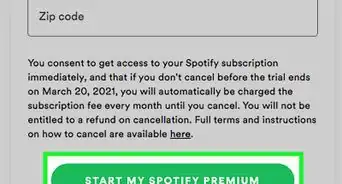
6Click Start My Premium For Family.Advertisement








About This Article

wikiHow Staff
wikiHow Staff Writer
This article was co-authored by wikiHow Staff. Our trained team of editors and researchers validate articles for accuracy and comprehensiveness. wikiHow's Content Management Team carefully monitors the work from our editorial staff to ensure that each article is backed by trusted research and meets our high quality standards. This article has been viewed 1,926 times.
Co-authors: 2
Updated: February 11, 2019
Views: 1,926
Categories: Spotify
Advertisement