This article was co-authored by wikiHow Staff. Our trained team of editors and researchers validate articles for accuracy and comprehensiveness. wikiHow's Content Management Team carefully monitors the work from our editorial staff to ensure that each article is backed by trusted research and meets our high quality standards.
This article has been viewed 525,971 times.
Learn more...
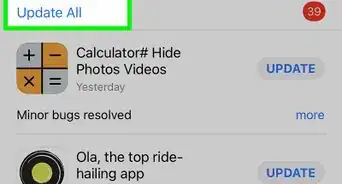
This wikiHow teaches you how to update the iTunes application on Mac or Windows. On iPhone and iPad, the iTunes Store and App Store apps are updated automatically with system updates.
Steps
Method 1
Method 1 of 2:On Mac
-
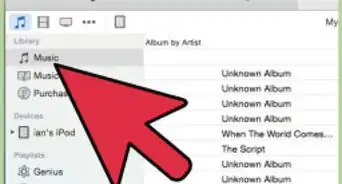
1Open iTunes. It's a white app with a multicolored musical note.
- You may be prompted to update iTunes upon opening. If you are, click Update.
-
2Click iTunes in the menu bar at the top of the screen.
-
3Click Check for Updates. If an update is available, you'll be prompted to download and install it.
- If no updates are available, you won't see this option.
-
4Click Install.
-
5Review Apple's Terms and Conditions.
-
6Click Agree.
-
7Follow the on-screen prompts to complete the installation process.


Method 2
Method 2 of 2:On Windows
-
1Open iTunes. It's a white app with a multicolored musical note.
-
2Click Help in the menu bar at the top of the screen.
-
3Click Check for Updates. If an update is available, you'll be prompted to download and install it.
-
4Click Install.
-
5Review Apple's Terms and Conditions.
-
6Click Agree.
-
7Follow the on-screen prompts to complete the installation process.


Community Q&A
-
QuestionWhere is the help button on iTunes?
 Community AnswerGo to the top left corner and click on the rectangle that is half blank and half shaded. Then, go to the bottom of the menu that pops up and click "show menu bar." You'll see the help option at that point.
 -
QuestionHow do I install iTunes on my PC?
 Community AnswerYou just need to go to the Apple website to download iTunes to your computer. Google "download iTunes for Windows" and it'll bring up the page you need.
 -
QuestionHow do I update iTunes on my iPhone 5S?Community AnswerGo to settings--> General--> Software Update. The phone will automatically detect if there's an available update, and will display it in this menu. Press the link on the bottom of the menu to bring up Terms and Conditions, and after reading it press "I Agree" and the phone will update.
-
QuestionHow do I change my iTunes password?
 Community AnswerTo change your iTunes password, you are actually changing the password for your Apple ID. Go to iCloud.com and sign in, then change your password in settings, or you can click “Forgot Apple ID or password?” to change it.
 -
QuestionHow do I update my iPad?Community Answergo to your settings and there should be a notification if you need an update. If you do, tap the notification and you will be prompted to do all you need to.
-
QuestionHow do I update iTunes on my iPad Air?Community AnswerGo to the Apple Store, if there is an update needed for iTunes, it will be under the tab "Updates". Just click on Update next to the iTunes app icon and put your iTunes password if asked. Done! (It is like any other app update really.)
-
QuestionDo I need to back up everything before updating iTunes?Community AnswerNo, as iTunes uses a Cloud save. If you imported files into your library, they will not be deleted.



About This Article

1. Open iTunes.
2. Click Help (Windows) or iTunes (Mac).
3. Click Check for Updates.
4. Click Install.
5. Review the Terms and Conditions.
6. Click Agree.
7. Follow on-screen prompts.