X
This article was written by Jack Lloyd. Jack Lloyd is a Technology Writer and Editor for wikiHow. He has over two years of experience writing and editing technology-related articles. He is technology enthusiast and an English teacher.
This article has been viewed 134,760 times.
This wikiHow teaches you how to unsubscribe from a featured Snapchat story so that it will no longer appear in your Story subscriptions.
Steps
-
1Open the Snapchat app. It's the white ghost on a yellow background icon.
- If you aren't logged into Snapchat, tap Log In and enter your username (or email address) and password.
-
2Swipe left on the camera screen. Doing so will take you to the Stories page.
-
3Scroll down to the "Subscriptions" section. It's below the "Featured" stories, which are sponsored stories from places like ESPN and Mashable.
- Since the number of "Recent" stories at the top of this page depends on your friends, you may have to scroll through a lot of stories first.
- If you don't have a "Subscriptions" section, you aren't subscribed to any featured stories.
-
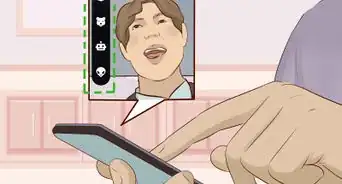
4Tap and hold the story from which you want to unsubscribe.
-
5Tap Subscribed. Doing so will unsubscribe you from your selected story and remove it from your Subscriptions section.


Warnings
- You can't unsubscribe from the Featured section of stories from the Stories page.Thanks!
About This Article
Article SummaryX
1. Open Snapchat.
2. Swipe left.
3. Tap and hold a subscribed story.
4. Tap Subscribed.
Did this summary help you?