This article was written by Darlene Antonelli, MA. Darlene Antonelli is a Technology Writer and Editor for wikiHow. Darlene has experience teaching college courses, writing technology-related articles, and working hands-on in the technology field. She earned an MA in Writing from Rowan University in 2012 and wrote her thesis on online communities and the personalities curated in such communities.
This article has been viewed 1,976 times.
This wikiHow will teach you how to uninstall Word on a Mac by dragging and dropping the application from Finder to your Trash. If you have the app icon as a shortcut in your Dock, you'll want to remove that icon from the Dock.
Steps
-
1
-
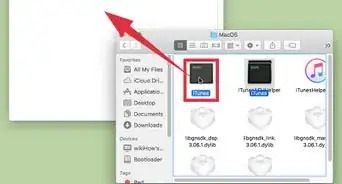
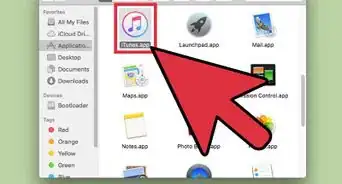
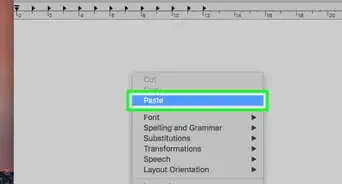
2Move Microsoft Word in the Applications folder to Trash. You can hold Cmd as you click if you want to select more than one item.
- To do this, right-click the item in Finder and select Move to Trash from the menu.
-
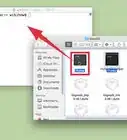
3Press ⌘ Cmd+⇧ Shift+G. This keyboard shortcut will open a "Go to" prompt so you can navigate to the Library folder, which is generally a hidden folder to prevent people from accidentally deleting important files.
- Since you're uninstalling Word and any associated file with it, you can delete files from the Library without running into errors.
-
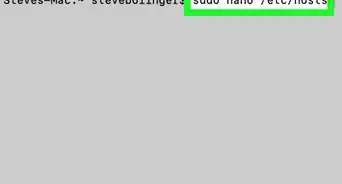
4Enter "~/Library" and click Go. A window will open in the hidden Library folder for your Word preferences and information.
-
5Double-click the Containers folder. Additional files will appear.
-
6Delete the file called "com.microsoft.Word." You can do this by dragging the file to the Trash.
-
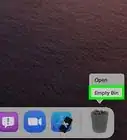
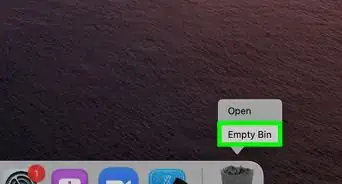
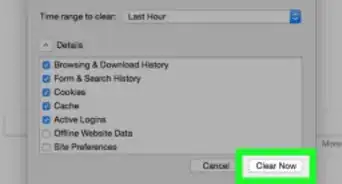
7Empty the Trash. Press and hold the Option key while you click the Trash can to prompt a menu, then select Empty Trash.[1] Microsoft Word is now removed from your Mac.
- If you have an icon for Word on your Dock, drag the icon to the Trash to delete it.





-Step-21-Version-2.webp)

References
About This Article

1. Open Finder.
2. Move Microsoft Word in the Applications folder to Trash.
3. Press Cmd + Shift + G.
4. Enter ~/Library and click Go.
5. Navigate to the "Containers" folder and move the following to Trash.
6. Navigate back a folder and move files to the trash that refer to Word in the Application Support, Caches, Preferences, Launch Daemons, and Privileged Helper Tools folders.
7. Empty the Trash.