X
wikiHow is a “wiki,” similar to Wikipedia, which means that many of our articles are co-written by multiple authors. To create this article, 9 people, some anonymous, worked to edit and improve it over time.
The wikiHow Tech Team also followed the article's instructions and verified that they work.
This article has been viewed 144,644 times.
Learn more...
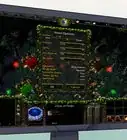
You've installed a graphics card and driver. Uninstalling a card or a driver sounds more ominous than it really is. If you follow these steps, you can save yourself lots of money from having it done professionally.
Steps
-
1Click on Start. A menu will come up.
-
2On this menu, click "Control Panel".Advertisement
-
3Find the icon that says "System", and click it.
-
4Click on the "Hardware" tab.
-
5Click on the Device Manager" tab.
-
6Scroll down to the "Display Adapter" and click on it. A menu will pop up.
-
7On this menu,click the "driver" tab.
-
8Click "Uninstall".Advertisement


Community Q&A
-
QuestionWhat would happen to my display if I uninstall display drivers?
 Community AnswerIn most cases that should be fine (if you are just uninstalling the drivers for the same company you are going put back in). Also, you could just overwrite the files by simply installing the new drivers and not deleting anything.
 -
QuestionMy screen is turning black while my computer is still running and it won't show anything. What should I do?
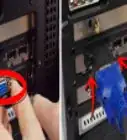
 Community AnswerThere may be a problem with the connection from the motherboard to the screen (if it is a laptop), if it is a desktop there might either be a problem with your monitor, or the cable connecting the tower to the monitor has come loose. Also, you have to take into consideration how old the PC is.
Warnings
- Do NOT uninstall without a disc, or a web site to reload the driver, unless you are absolutely certain you no longer need it. This is a permanent action.Thanks!
Advertisement

About This Article
Advertisement