X
wikiHow is a “wiki,” similar to Wikipedia, which means that many of our articles are co-written by multiple authors. To create this article, 13 people, some anonymous, worked to edit and improve it over time.
This article has been viewed 46,361 times.
Learn more...
You know how when you see those funky letters and just have to know how to type them? Well follow this short and easy guide and you'll be typing like that in no time!
Steps
-
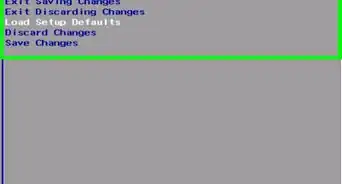
1Go to the 'start' menu
-
2Select 'programs' or 'all programs'
-
3Select 'accessories'
-
4Select the folder called 'system tools'
-
5Go to 'character map'
-
6You should then see something pop-up with a lot of weird letters and symbols on it
-
7Pick the ones you want(note:you can type in the regular letters and numbers)
-
8Then on a little box(Looks like a search box) everything you picked should be on there
-
9There will be a button that says copy
-
10Click on it
-
11You now just have to paste them to where you want to put them


Warnings
- Some of the symbols may be offensive to others, please do be careful which symbols you pick!Thanks!