X
wikiHow is a “wiki,” similar to Wikipedia, which means that many of our articles are co-written by multiple authors. To create this article, 13 people, some anonymous, worked to edit and improve it over time.
This article has been viewed 181,119 times.
Learn more...
Turn your websites into desktop apps with Chrome (unlike regular .URL files, you can adjust how the site opens - such as making it open full-screen)
Steps
-
1Ensure any New Tab overriding extensions are OFF, Bookmark bar is ON (use the central menu icon or type in about:settings in the Omnibox), ensure you are on the "app" side of the default New Tab Page.
-
2If the favorite site is not already a bookmark (but why wouldn't it?), visit the site, open a new tab beside it. If already bookmarked, go to Step 4
-
3Drag the favorite site's favicon (in URL bar, left of URL) into bookmark bar (if you had to do step 2)
-
4Go to chrome://apps, and drag the bookmark of the site to the space right of the Chrome icon (or between any two icons if there are other apps already in)
-
5Right-click the newly-made app, set the tab property (like "Fullscreen tab" for your Runescape bookmark)
-
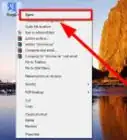
6Right-click again, choose "create shortcut", choose where to create your shortcut. (see warnings)


Community Q&A
-
QuestionIs there any way to do this same thing on an android device?
 Community AnswerYes. Go to the website. Tap the three dot (menu) button. Select "Add to Desktop."
Warnings
- DO NOT CHECK "pin to taskbar" if you're not on Windows 7 or later!Thanks!
- Don't pin AT ALL you're on Linux/OSX!Thanks!
- On Windows XP/Vista (prior to 7), make it a DESKTOP shortcut then drag to quick launch (or any other folder embedded in taskbar).Thanks!
Things You'll Need
- Google Chrome
- A new tab opened
- Any website
- Bookmarks bar always showing