X
wikiHow is a “wiki,” similar to Wikipedia, which means that many of our articles are co-written by multiple authors. To create this article, volunteer authors worked to edit and improve it over time.
This article has been viewed 59,517 times.
Learn more...
Tracfone makes it a bit of a troublesome deal to transfer photos from your Tracfone to your computer. You can do this through Bluetooth or through e-mail..
Steps
Method 1
Method 1 of 2:Send Photos via Bluetooth
Method 1
-
1Plug in your Bluetooth dongle to your computer, or turn Bluetooth on in your laptop.
- You only use a Bluetooth dongle when your computer doesn’t feature a Bluetooth antenna, unlike laptops, which are usually already Bluetooth capable.
-
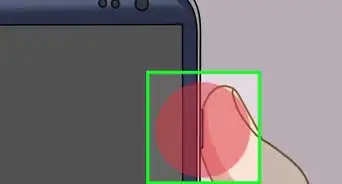
2Turn on Bluetooth on your phone.Advertisement
-
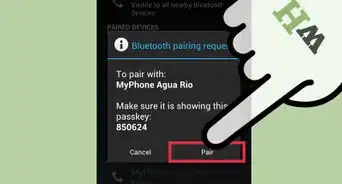
3Pair your phone and your computer.
-
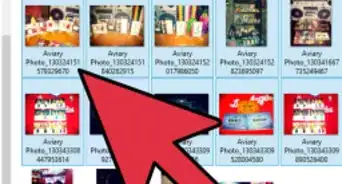
4Transfer files through Bluetooth.Advertisement


Method 2
Method 2 of 2:Send Photos via E-mail
Method 2


Community Q&A
-
QuestionHow do I transfer pictures from a Bluetooth to my computer?
 Community AnswerI use a cable that fits the phone with a USB on the other end. Plug it in, and your PC should recognize it. Then follow on screen directions to DL to PC. I've had too much trouble trying to DL to my PC using only Bluetooth. The cable way only takes a few minutes and is more intuitive.
 -
QuestionHow do I email pictures from my Tracfone?Community AnswerGo to your gallery. Press "options" and select "share." Select your email, and type in the address you want to send it to.
-
QuestionHow do I reset voicemail on a TracFone?
 Community AnswerYou can't.
 -
QuestionHow many pictures can I download at one time?
 Community AnswerThe number of pictures you can download at once depends on your computer and Internet speed.


About This Article
Advertisement