This article was written by Darlene Antonelli, MA. Darlene Antonelli is a Technology Writer and Editor for wikiHow. Darlene has experience teaching college courses, writing technology-related articles, and working hands-on in the technology field. She earned an MA in Writing from Rowan University in 2012 and wrote her thesis on online communities and the personalities curated in such communities.
This article has been viewed 1,687 times.
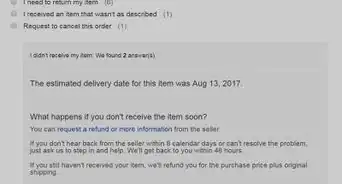
This wikiHow will teach you how you can track items on eBay that you've bought and how to add tracking to an item you've sold. You can only track items as a buyer if the seller enabled tracking on the item; if they did not, you'll see the sold date, shipped date, and expected delivery date.
Steps
Method 1
Method 1 of 3:Tracking the Items You Purchased
-
1Go to https://www.ebay.com/help/action?&topicId=4027. That link will take you to the item tracking area of your eBay account. You can also get here by logging in at https://ebay.com (or opening the mobile app), clicking the My eBay tab, and clicking Purchase History. If your item has a tracking number, you'll see it listed with the sold item.
- Log in if prompted.
-
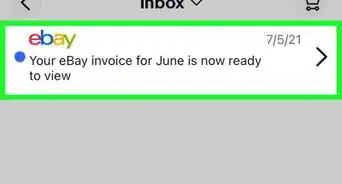
2Check your email (if you bought the item as a guest). Once you purchased the item, you should have gotten an email confirmation of the purchase.
-
3Click View order details. Inside the confirmation email, you should find a link to "View order details," where you'll see the item's tracking number, current location, and carrier information.
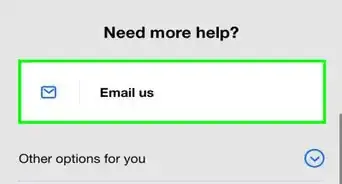
- You can email the seller from this view if you don't see tracking information. [1]


Method 2
Method 2 of 3:Adding Tracking to Your Sold Items to Guest Buyers
-
1Go to your Seller's Hub. Once you log in with your seller's information, you will be directed to your shipped items.
-
2Click to check the box next to the order you want to add tracking to. The box will fill with a checkmark to indicate that it is selected.
-
3Click the drop-down menu labeled Dispatch.
-
4Select Add tracking number. This will enable you to add a tracking number to give to the buyer.
-
5Add the tracking number and carrier. You should have gotten this when you dropped your item off for shipping with your courier.
-
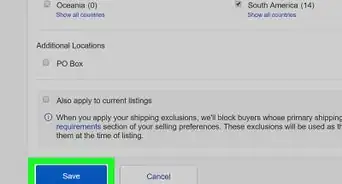
6Click Save. After you enter a tracking number, the guest will receive an email with the new information.[2]


Method 3
Method 3 of 3:Adding Tracking to Your Sold Items to eBay Members
-
1Go to My eBay's Sold section. Once you click the link, you will need to log in, and you'll be directed to your Sold items section in your eBay account.
-
2Hover your cursor over the order you want to add tracking to. You'll see a "More" menu appear.
-
3Click the More icon. A menu will drop-down.
-
4Click Add tracking number. A window will pop-up so you can add tracking information.
-
5Add the tracking number and carrier. You should have gotten this when you dropped your item off for shipping with your courier.
-
6Click Submit. After you enter a tracking number, the buyer will receive a notification that their items' tracking information was updated.[3]



References
About This Article

1. Go to https://www.ebay.com/help/action?&topicId=4027.
2. Check your email (if you bought the item as a guest).
3. Click View order details.