X
wikiHow is a “wiki,” similar to Wikipedia, which means that many of our articles are co-written by multiple authors. To create this article, volunteer authors worked to edit and improve it over time.
This article has been viewed 29,664 times.
Learn more...
Learning photography? Want to try some of the ubiquitous selfies or be able to look at your images to vet them to make sure that you got the result you want? If you got a Nikon D3100 or a similar 'lower end' camera, you might be having troubles with that. digiCamControl has fixed that problem.
- Windows 7 is the OS in the screenshots.
.
Steps
-
1If you haven't gotten the software already, go to the website, download, and install it.
-
2Connect the D3100 to the computer with a regular USB cable.
-
3Be sure your camera is on.
-
4Start up the software. It will recognize your camera.
-
5Go to the Compression option and select RAW + JPEG. If you don't use RAW, then just select JPEG.
-
6Set up your shot like you normally would. If you are learning, experiment. You won't know what will, and won't, work, until you try it.
-
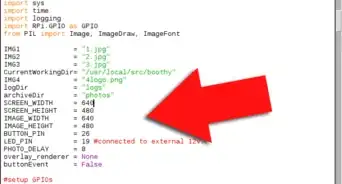
7Locate the 'button' at the top right of the screen. That is what will trigger your camera.
-
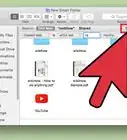
8Click the button to take the photo. Here is a screenshot with a couple of images having been taken.
-
9Open it up with the external viewer.