X
This article was co-authored by wikiHow Staff. Our trained team of editors and researchers validate articles for accuracy and comprehensiveness. wikiHow's Content Management Team carefully monitors the work from our editorial staff to ensure that each article is backed by trusted research and meets our high quality standards.
This article has been viewed 8,781 times.
Learn more...
This wikiHow teaches you how to see which of the pictures, videos, or messages you've received on Snapchat are unopened.
Steps
-
1Open Snapchat. It's a yellow app with a white ghost. It will open on the camera screen.
-
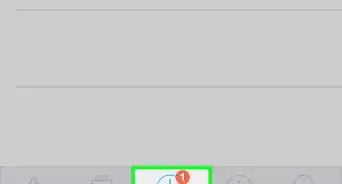
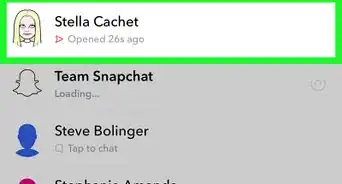
2Swipe right on the camera screen. Doing so opens the Chat screen.
- Snaps are listed in chronological order, according to the date and time they were sent or received.
-
3Look for a solid icon. Unopened Chat messages will display a solid-blue chat bubble next to the sender's display name.
- Unopened photo Snaps are indicated by red squares next to the senders' names.
- A purple square next to the sender's name means it's an unopened video Snap.
-
4Tap an unopened message. This opens the Chat or plays the Snap your friend sent to you.
- To save messages, stickers, or Bitmojis that you've sent or received, press and hold individual messages until the word "Saved" appears on the right side of the screen.
- You can replay any Snap one time, but you have to do so before you leave the Chat screen. If you leave the screen, the Snap and your replay opportunity will both disappear.
- Photos and videos can't be saved.





About This Article

wikiHow Staff
wikiHow Staff Writer
This article was co-authored by wikiHow Staff. Our trained team of editors and researchers validate articles for accuracy and comprehensiveness. wikiHow's Content Management Team carefully monitors the work from our editorial staff to ensure that each article is backed by trusted research and meets our high quality standards. This article has been viewed 8,781 times.
How helpful is this?
Co-authors: 2
Updated: May 15, 2018
Views: 8,781
Categories: Snapchat
Article SummaryX
Swipe right on the camera screen and look for a solid-colored square or message bubble.
Did this summary help you?