X
wikiHow is a “wiki,” similar to Wikipedia, which means that many of our articles are co-written by multiple authors. To create this article, volunteer authors worked to edit and improve it over time.
The wikiHow Tech Team also followed the article's instructions and verified that they work.
This article has been viewed 46,792 times.
Learn more...
HMD Global introduced the next generation of Nokia phones running Android in 2017. These new phones are completely different from old ones. This wikiHow article will teach you how to take a screenshot on a Nokia Android phone.
Steps
-
1Unlock your screen. Navigate to the screen you would like to capture. If you want to take a screenshot of a web page, launch your browser and go to the preferred web page.
-
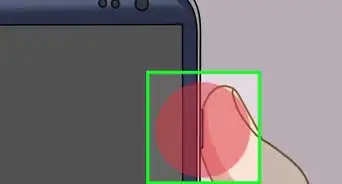
2Press the "Volume Down" button and the "Lock" button at the same time. You can find those buttons on the right side of your phone. You will hear camera shutter sounds that indicate your screenshot has been successfully taken.
-
3Swipe down from the top of the screen to view the screenshot. You can easily share or delete the screenshot from the notification panel. You can also see your screenshots in the Google Photos and "Downloads" app.