X
wikiHow is a “wiki,” similar to Wikipedia, which means that many of our articles are co-written by multiple authors. To create this article, 21 people, some anonymous, worked to edit and improve it over time.
This article has been viewed 142,333 times.
Learn more...
Cell or mobile phones are an important means of staying connected and communicating with others on a regular, if not daily, basis. They're also often a reasonable investment of your money. As such, it makes both financial and personal sense to take proper care of your cell phone so that it lasts longer, does the things you need it to when called upon and stays in good shape.
Steps
Part 1
Part 1 of 3:Getting the phone that works for you
Part 1
-
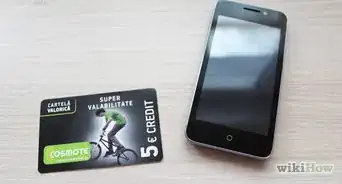
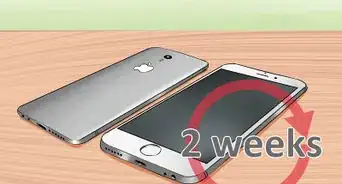
1Research widely before purchasing a new phone. It's very important to find out which features you really want in a cell phone before you purchase a new one. Make sure it is a brand and model that you're happy with, from its features to the quality of its design. If you purchase a phone you don't like (or get a cheap one included with a contract), you may end up being more "careless" with it because you "care less" about it, which is really a waste of money and your time.

Part 2
Part 2 of 3:Caring for your cell phone
Part 2
-
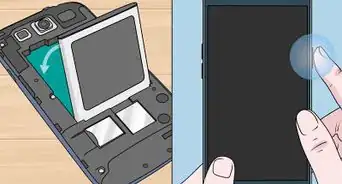
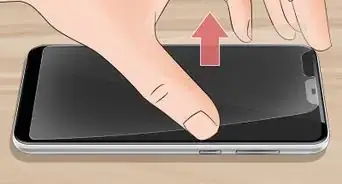
1Buy a case and screen protector. These will take care of your phone by preventing it from being subject to knocks and scratches. This helps to keep the phone's appearance longer and may also protect it from some internal damage should you accidentally knock or drop the phone.
-
2Designate a safe place to keep and store your phone when not in use. It should be somewhere that is out of the way and where the phone is not likely to be knocked onto the floor or trodden on. For example, good places include keeping it on a desk, bookshelf, or in a cabinet. It's a good idea to choose one spot where it always goes (near a recharger) so that you can find it with ease, any time.
- Do not keep your phone stored in a purse or other closed container for extended periods of time unless it is powered off. Charging a mobile phone in a closed container is a potential fire hazard and may shorten its lifespan. Li-ion batteries (typical for most phones) give off heat when charged and when discharging.
- Always use genuine chargers and accessories. Cheaper ones that are not compatible or made for going with your brand of phone can harm the phone or lessen its lifespan.
-
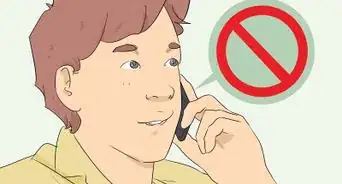
3Keep your phone dry. Don't talk on your cell phone while it's raining, do not eat or drink near the phone, and avoid carrying it near open water (such as a pond, the beach, or toilets).
- If you do get your phone wet, see How to save a wet cell phone.
-
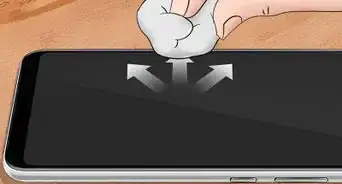
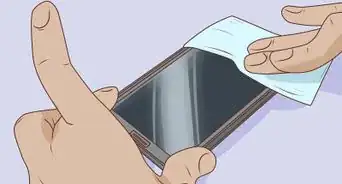
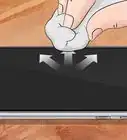
4Clean your phone regularly. Use dry tissue paper or alcohol wipes to clean the phone's exterior surfaces. Do not use water, baby wipes, or other cleaners that may inadvertently add moisture to your phone.
-
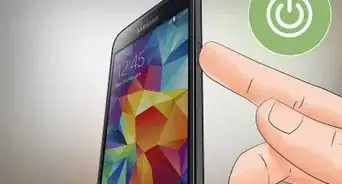
5Recharge your cell phone on a regular schedule. Some phones will last more than a week or more on a single charge (when not in use), while others may need to be charged every day or every other day. If you spend too much time talking on your phone, you can quickly use up your battery's charge.
- Keep your battery percentage between 40%-80% for longer battery life.
-
6Turn off the ringer on your phone when you're in a class, a lecture, a meeting, etc. Even in relatively everyday activities such as watching a movie in a movie theater, or attending church, it is polite to keep your ringer on vibrate or turned off. The last thing you want to do is frantically try to turn off your ringer in these scenarios. Doing so risks accidentally dropping or damaging the phone.
- Find flight mode on your phone and make use of it when you don't wish to be disturbed.


Part 3
Part 3 of 3:Protecting your phone from theft
Part 3
-
1Take your phone with you whenever possible. Never let your phone leave your sight. Avoid lending your phone to others, even if done under your supervision, as accidents can and will happen once in a while.
-
2Use theft shutdown software. Depending on your phone brand, you can shut down the phone if it is stolen. Activate this in case you lose your phone or it is stolen.


Community Q&A
-
QuestionHow do I get rid of a virus from an Android phone?
 Community AnswerDownload a good anti-virus program (like Avast or AVG) and scan the phone. It should remove the virus quickly.
 -
QuestionWill it break in the pocket area?
 Community AnswerIt might break or bend if you sit.
 -
QuestionHow do I take care of a phone?
 Community AnswerDo not overcharge it, buy a good case for it with a screen protector, make sure that it never gets wet and back it up if you can.
 -
QuestionCan I leave my phone in the car while I work if it's cold outside?Community AnswerNot a good idea. The cold could damage your screen or battery, possibly even causing condensation could form inside and short circuiting your phone.
-
QuestionHow do I download AVG Antivirus to help care for my phone?Community AnswerGo to the application store for your device, search for AVG, download and install.
-
QuestionI try to be careful, but I still drop and break my phone every month. What should I do?Community AnswerDon't keep it in your pocket. Buy a good thick cover and get your screen laminated.
-
QuestionHow can I keep my phone looking new?Community AnswerYou can wipe it down to keep it clean, and keep it in a durable case to keep it from getting scratched or chipped. Be careful who you let handle it, as they could drop it and do damage to it. If you place it down gently and keep it wiped off, it should stay looking new.
-
QuestionShould I put a screen protector or the phone cover on first?Community AnswerYou should put a phone case on first so when you drop it it wont break. Most times when you drop your device, it lands on the back.
-
QuestionHow many times should a smartphone be charged each day?Community AnswerYou can charge it whenever its lower than 100%. A good mark to charge your smartphone is when the battery is less than 40% percent.
-
QuestionHow can I recover my old photos to my new cell phone?Community AnswerYou will have needed to back them up onto the cloud or another external hard drive, and then you will be able to load them to your new phone.
Warnings
- Don't give your phone to others because they can mistreat it.Thanks!
- Be careful when giving out your phone number. Giving it to the wrong person could get you added to a telemarketing call list or on speed dial for a stalker.Thanks!
- Avoid accidentally calling others by using your phone's lock feature when not in use. This will prevent accidentally hitting buttons when the phone is stored.Thanks!
- Do not purchase outdated phones. They may be difficult to use with service providers, and even more difficult to find support.Thanks!