This article was written by Katie Double. Katie Double is a Technology Writer and Editor for wikiHow. She has over five years of experience in technical support, IT process analysis, and quantitative research. Katie loves exploring the application of various technological tools, from data analysis and visualization to music production and performance. Though originally from Denver, Colorado, she currently resides in New Zealand. She has a BA in Psychology from the University of Colorado Boulder.
This article has been viewed 8,212 times.
This wikiHow teaches you how to manually sync your Fitbit Charge. The Fitbit will sync automatically when you open the app and the Fitbit is nearby, but you can manually sync at any time.
Steps
Method 1
Method 1 of 2:Using the App
-
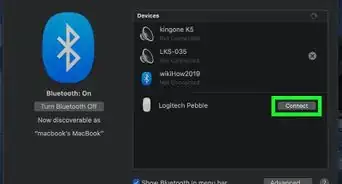
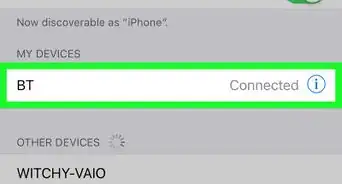
1Make sure Bluetooth is turned on for your phone, tablet or computer. The Fitbit app needs to use Bluetooth in order to sync data.
-
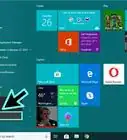
2Open the Fitbit app. Look for a blue square with white dots on your home screen. If on a phone or tablet, you can also look in the app drawer. If on a computer, you can also use the search bar or Windows key to find it.
- If you do not have the Fitbit app, download it from the app store. Follow the onscreen instructions to set up your account and connect it to your Fitbit.
Advertisement -
3Select the Today tab. This is at the bottom in the middle.
-
4Tap your profile picture. This is in the top left.
- If on a computer, click on the Account icon, which looks like 3 lines.
-
5Select your Fitbit Charge. You may need to scroll to find it. Tap or click to select it.
-
6Tap or click the arrows next to "Sync Now". This will sync your Fitbit Charge[1] .Advertisement


Method 2
Method 2 of 2:Using the Wireless Dongle
-
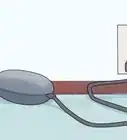
1Plug in the dongle that came with your Fitbit into your Windows 10 computer. Place the USB into an available port.
-
2Open the Fitbit app on your computer. Look for a blue square with white dots on your home screen, task bar, or in the Windows menu.
-
3Click the Today tab and select your profile picture. This will take you to your Fitbit account setting.
-
4Tap Advanced Settings. This has a gear icon next to it.
-
5Tap the switch next to Fitbit Connect Classic Mode to turn it on. This will automatically sync all Fitbit devices within 20 feet every 15-30 minutes.Advertisement


About This Article
1. Open the Fitbit app.
2. Tap the Today tab.
3. Tap on your profile picture.
4. Tap on your Fitbit Charge.
5. Tap the arrows next to "Sync Now".