This article was written by Travis Boylls. Travis Boylls is a Technology Writer and Editor for wikiHow. Travis has experience writing technology-related articles, providing software customer service, and in graphic design. He specializes in Windows, macOS, Android, iOS, and Linux platforms. He studied graphic design at Pikes Peak Community College.
This article has been viewed 4,531 times.
This wikiHow teaches you how to sync your Fitbit on PC or Mac. To sync your Fitbit to PC or Mac, you need to download the Fitbit Connect app. If you have it synced to your Mobile phone, you may need to turn off Bluetooth on your mobile device in order to sync your Fitbit tracker to your PC or Mac. Keep other Fitbit trackers away from your computer while you are trying to sync.
Steps
Method 1
Method 1 of 2:On Windows
-
1Open the Fitbit app. It's the app that has a blue logo with dots in the shape of a diamond.
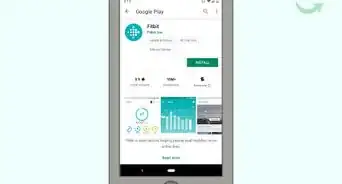
- Download Fitbit Connect from the Windows Store, if you have not already done so.
- Setup your Fitbit tracker if you have not already done so.
- Log in with the email address and password associated with your Fitbit account if you have not already done so.
-
2Click the Dashboard tab. It's located at the top-left corner of the app and has an image of the Fitbit logo. The logo has a number of dots in the shape of a diamond.
-
3Click the image of your Fitbit. At the top of the app, there should be an image of your Fitbit model and the battery life. Clicking this button will display the model and a refresh button in a pulldown menu.
-
4


Method 2
Method 2 of 2:On Mac
-
1Open the Fitbit Connect app. It's the app with the blue image that has a number of dots in the shape of a diamond.
- Download Fitbit Connect if you have not already done so.
- Setup your Fitbit tracker, if you haven't already done so.
-
2Log in, if prompted. If you are asked to do so, sign in with the email address and password associated with your Fitbit account.
-
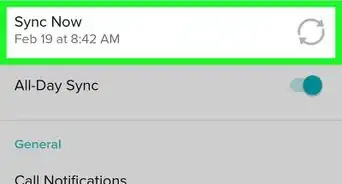
3Click Sync Now. It's the blue button with two arrows in the shape of a circle.





About This Article

1. Open Fitbit Connect.
2. Click the Dashboard icon.
3. Click your Fitbit tracker.
4. Click the Sync Button.