This article was co-authored by Neverthink. Neverthink is an award-winning video app and website that gives you a TV-like experience of the best and latest YouTube videos. Instead of algorithms recommending videos to you, their channels are powered by human curation, allowing you to discover videos and creators you would never find otherwise.
This article has been viewed 1,087 times.
This wikiHow teaches you how to recommend a YouTube video to Neverthink. As long as the video is available on YouTube, you can send its direct link to Neverthink's team of curators for review. If the curators think the video is a good fit for one or more of its channels, it may be featured on the site.

Steps
-
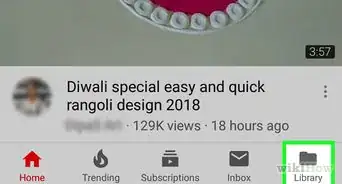
1Open the video in the YouTube app. Because Neverthink uses the YouTube embedded player, the video you submit must be on YouTube. You'll usually find YouTube's red-and-white icon on your phone or tablet's home screen or in the app drawer.
- The option to suggest videos is only available in the mobile app. If you're using a computer, you can submit recommendations by sending a direct message to Neverthink's Instagram (@neverthink.tv) or Twitter account (@NeverthinkTV).
-
2Tap Share below the video. A list of sharing options will appear.
-
3Tap Copy link. This saves the video's link to your clipboard.
- If you're using a computer, click Copy instead. You can then paste the copied URL into a direct message to make your recommendation.
-
4Open the Neverthink app on your phone or tablet. Look for the icon with many multicolored squares and the letters "nt." You'll usually find it on the home screen or in the app drawer.
- If you don't already have the Neverthink app, you can download it for free from the Apple App Store or Google Play Store.
-
5Tap Settings. It's at the bottom-left corner of the screen.
-
6Tap Write to the Team. This opens a chat window.
-
7Paste the copied URL into the typing area. To do this, tap and hold the "Start a conversation" field at the bottom of the window, and then tap Paste.
- If you'd like, you can type a brief message about your recommendation. You don't have to go into much detail—just let the team know that you think the video would be a good fit for the service.
-
8Tap Send. It's at the bottom-right corner of the conversation. Now that you've recommended a video, you can tap the X at the top-right corner to get back to your favorite channels.


About This Article

1. Open the video in YouTube.
2. Copy the URL to your clipboard.
3. Open the Neverthink app.
4. Tap Settings.
5. Tap Write to the Team.
6. Paste the link and send.