X
wikiHow is a “wiki,” similar to Wikipedia, which means that many of our articles are co-written by multiple authors. To create this article, volunteer authors worked to edit and improve it over time.
This article has been viewed 1,791 times.
Learn more...
From Mario to Ridley and everything in between, Super Smash Bros. Ultimate is all about fighting against each other. Here's how you begin an exciting match in the game.
Steps
Part 1
Part 1 of 2:Preparation
Part 1
-
1Select Smash from the game's main menu.
-
2Pick your rules. In this game, there are three battle types to choose from: Time, Stock, and Stamina.
- You can set how many stocks each fighter will have, how long the battle will last, set the CPU difficulty, and many more.
- You can name your ruleset and save it so you can use it the next time you play.
-
3Pick a stage. There are over 100 stages to choose from in this game and each one has a different gimmick.
- You can use Stage Morph to choose two stages instead of one. The stages will shift as the match goes on.
-
4Pick your fighter. Each character has a different fighting style to use during the game.
- Al least two characters are required to start the match.
- If you have an Amiibo figure, you can use it as a Figure Player.
-
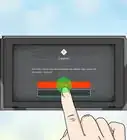
5Ready To Fight! Once you have everything all set up, the message will appear on the screen. Press the button and you're ready to fight!


Part 2
Part 2 of 2:Starting the Match
Part 2
-
1Meet the fighters. On the versus splash screen, you'll see the fighters who will be taking part in the match.
- If two characters are fighting, then it will have a Vs. in the center for a one-on-one match. For example; if Hero and Pichu are taking part in the match, then the screen shows Hero Vs. Pichu.
-
2Prepare for battle. As the fighters enter the stage, the announcer will start the countdown.
- Each fighter has a different entrance when the match is about to begin.
- In this game, the countdown starts at three when playing in Smash mode.
-
3Get ready. Once everyone has entered the stage, they will assume their battle stance.
-
4Fight! When the announcer gives the "GO!" signal and once the word appears on the screen... Let the battle begin!
- As soon as you see the "GO!" message, you can deliver the first hit to start the match.