This article was written by Nicole Levine, MFA. Nicole Levine is a Technology Writer and Editor for wikiHow. She has more than 20 years of experience creating technical documentation and leading support teams at major web hosting and software companies. Nicole also holds an MFA in Creative Writing from Portland State University and teaches composition, fiction-writing, and zine-making at various institutions.
The wikiHow Tech Team also followed the article's instructions and verified that they work.
This article has been viewed 2,907 times.
This wikiHow teaches you how to get the URL to an Instagram video on a computer so you can share it with others.
Steps
-
1Go to https://www.instagram.com in a web browser. Though you can access your Instagram feed on your computer, there’s no Share option for posts in the feed. You can, however, get the URL to a video and copy it into a message or post in another app.
-
2Sign in to your Instagram account. Enter your login details and click Log in, or click Log in with Facebook if your Facebook account is connected to Instagram.Advertisement
-
3Go to the profile of the person who shared the video. Type the person’s username into the Search bar, then click their account in the search results.
-
4Click the video you want to share. This opens the video.
-
5Click the URL in the address bar. It’s the long web address in the bar at the top of the screen. This highlights the address.
-
6Press ⌘ Cmd+C (macOS) or Control+C (Windows). This copies the highlighted URL to the clipboard.
-
7Go to the message or post on which you want to share this video. You can paste the URL into a social media post, email message, or instant messenger.
-
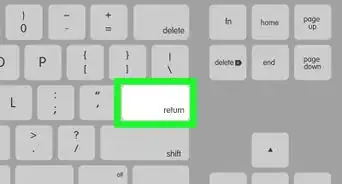
8Press ⌘ Cmd+V (macOS) or Control+V (Windows). This pastes the URL into the message or post. Once you send the message or post, the recipient(s) can click the link to view the video.Advertisement






About This Article

1. Go to https://www.instagram.com.
2. Sign in.
3. Go to the person’s profile.
4. Click the video.
5. Click the URL in the address bar.
6. Copy the URL.
7. Compose a new message or post.
8. Paste the URL.