X
wikiHow is a “wiki,” similar to Wikipedia, which means that many of our articles are co-written by multiple authors. To create this article, volunteer authors worked to edit and improve it over time.
This article has been viewed 250,782 times.
Learn more...
If you want to send an email from your Yahoo! email account but don't know how, don't worry. This wikiHow will help you understand how emailing works and how to send one using yahoo.
Steps
-
1Log into Yahoo. You type in your email, and your password. Then press "login" at the bottom of where you type your login in.
-
2Press Compose Message. This is located in the top left of the page. It opens up a tab where you can write your email, add emoticons/smileys, etc.Advertisement
-
3Write who it's to. If you have the person in your contacts, you can write their name from there. If not, you can write their full email. It can be to ANY email, it doesn't have you be a "@yahoo" address.
-
4Type the subject. This is in the bottom square before the big one.
-
5Type the message in the bottom box. You can type as short or as complex as you want.
-
6Press send. Then you have sent your email!Advertisement


Community Q&A
-
QuestionHow do I find the "compose" icon when I log into my email account on my smart phone?
 Community AnswerIt should look like a little piece of paper with a pencil. It will probably be in the bottom right hand corner.
 -
QuestionHow can I send a Ymail to someone if I don't have a ymail account?
 Community AnswerNo, you'd need to create an account first.
 -
QuestionWhat is the symbol for Yahoo mail on a tablet?Community AnswerThe symbol is purple with a big "Y." If you don't have the app already, go to the app store on your tablet and search for the "Yahoo mail" app.
-
QuestionWhat does the CC and BCC stand for?
 Community AnswerCarbon copy and blind carbon copy.
 -
QuestionWhat does "subject" mean in an email?
 R2_d2000Top AnswererIt is what the email is about. For example, if you are writing an email discussing your grades in school, the subject could be "school grades."
 -
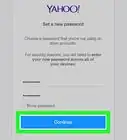
QuestionI have forgotten my password for my Yahoo account and don't have to my recovery email. What should I do?Community AnswerYou can create a new email, then go on the Yahoo email and click forgot password. Then you can enter the email you just created and it will send a link to that email to reset your password. Click the link ad to reset your password, and you'll be able to get into your account.
-
QuestionIs there another "send" button at the top of the page? It is very inefficient to have to scroll down an email chain just to find the send button.R2_d2000Top AnswererNo, sorry, the send button is only at the bottom of the page, but you can recommend they put a second send button at the top of the page by giving feedback at yahoo.uservoice.com
-
QuestionHow do I send a photo with an email?R2_d2000Top AnswererYou need to attach it. Next to the send button of the compose screen will be a picture of a paper clip; click that and then follow the directions to attach a picture.
About This Article
Advertisement