This article was co-authored by wikiHow Staff. Our trained team of editors and researchers validate articles for accuracy and comprehensiveness. wikiHow's Content Management Team carefully monitors the work from our editorial staff to ensure that each article is backed by trusted research and meets our high quality standards.
The wikiHow Tech Team also followed the article's instructions and verified that they work.
This article has been viewed 6,104 times.
Learn more...
Omegle is a popular chat service that allows users to text and video chat with randomly selected people throughout the world. Until recently, Omegle was difficult to use on an Android device, but the recent introduction of the Omegle app has finally brought the chat service to Android. This wikihow article will show you the easy steps required to sending a message on the Omegle app and the Omegle website on Android.
Steps
Method 1
Method 1 of 2:Sending a Message with the Omegle App
-
1Open the Omegle app on your device. The app icon is a blue omega symbol on a white background.
- If you do not have the app installed, it can be downloaded for free from the Play Store by searching for Omegle in the search bar.
- When you first open the app, Omegle will request permission for access to your camera and microphone. This is required if you want to video chat.
-
2Tap on the profile icon at the top-left corner of the screen. It should look like a generic human icon.
-
3Tap on SIGNUP or LOGIN. Signup will require you to set up a simple profile and will need an email account. You can also change your user avatar when setting up your profile.
-
4Tap on Man, Anyone, or Woman at the bottom of the screen.
- If you are not signed up for the VIP membership then you will only be able to select Anyone.
-
5Tap on Chat to continue. Omegle will then search for a random match with another user.
- Video chatting requires the VIP membership, but the process is similar to text chatting.
-
6
-
7Tap on the chat box at the bottom to start sending messages. If you want to stop chatting, then you can tap on Stop at the top-left corner of the screen.
- Stopping a conversation will permanently end the conversation unless you are signed up for the VIP membership.


Method 2
Method 2 of 2:Sending a Message on the Omegle Website
-
1Open your web browser and go to www.omegle.com
-
2Tap on Start a chat. This will start a chat with a random stranger.
- If you add your interests, Omegle will try to match you with someone that shares your interests. You can do this by tapping on Add your interests and typing in the box.
- If you tap on the check box, you can add your Facebook likes as topics. This will require you to sign in with your Facebook account for Omegle to gain access to your likes. Your identity will remain anonymous for the actual chat.
- If you are a college student and want to chat with other students, tap on College student chat to enter your college email address for verification. Other users will not be able to see the first part of your email, but they will be able to see the domain address, likely your school name.
-
3Tap on Type your message. Your on-screen keyboard will pop up to let you start chatting.
-
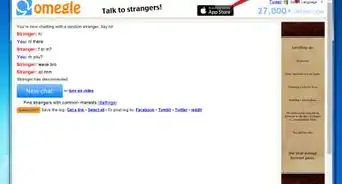
4Tap on Stop and Really to end a chat for any reason. After disconnecting, you can tap on Great chat? Save the log! to save the conversation.






About This Article

1. Open the Omegle app on your device.
2. Tap on Man, Anyone, or Woman to select user gender.
3. Tap Chat to start.
4. Tap on the checkmark to confirm user match.
5. Type in the chat box to have a conversation.